{/* Google tag (gtag.js) */} SecTemple: hacking, threat hunting, pentesting y Ciberseguridad
Showing posts sorted by relevance for query android security. Sort by date Show all posts

Dominating AhMyth RAT: A Comprehensive Blueprint for Ethical Android Security Audits


Welcome to a new dossier from Sectemple. In the ever-evolving digital battlefield, understanding the offensive capabilities is paramount for effective defense. This comprehensive investigation delves into the architecture and deployment of AhMyth RAT within a Kali Linux environment, focusing on ethical penetration testing and mobile security evolution. We're not just looking at "how-to" – we're dissecting the anatomy of a threat to build stronger defenses.

Mission Briefing: Understanding the Threat - Android RATs and Their Impact

The proliferation of mobile devices has made them prime targets for sophisticated cyber threats. Remote Access Trojans (RATs) represent a significant danger, offering attackers comprehensive surveillance and control over a victim's device. This section lays the groundwork, understanding the pervasive threat landscape:

  • Understanding Comprehensive Surveillance Capabilities: Delving into the sheer depth of data an attacker can access, from personal communications to sensitive financial information.
  • Learning About Stealth Operation and Background Persistence: Examining the techniques RATs employ to remain undetected, operating silently in the background.
  • Recognizing the Psychological Impact of Mobile Surveillance: Understanding the profound trust erosion and anxiety that stems from the realization of being under surveillance.

Defining Android Remote Access Tools (RATs)

Before we deploy, we must understand the target. Android Remote Access Tools, or RATs, are a class of malicious software designed to grant an attacker unauthorized remote access and control over an Android device. It's crucial to differentiate them from simpler forms of malware:

  • Exploring Comprehensive Device Control Capabilities: Understanding the full spectrum of actions an attacker can perform, from data exfiltration to remote command execution.
  • Understanding the Difference Between RATs and Simple Malware: Highlighting the advanced functionalities like live microphone/camera streaming and persistent access that distinguish RATs.
  • Learning About Modern Attack Sophistication and Accessibility: Recognizing how readily available tools and documented exploits have lowered the barrier to entry for deploying such attacks.

Establishing Your Android Security Auditing Lab

A robust security audit requires a controlled and reproducible environment. For testing Android exploits and defenses, a virtualized setup is indispensable. We'll leverage Genymotion, a powerful Android emulator, to simulate various device configurations and Android versions:

  • Installing and configuring Genymotion for multiple Android versions: Setting up the emulator environment to mimic diverse user devices.
  • Creating virtual machines for security evolution testing: Isolating test environments to ensure the integrity of your host system and allow for clean testing across different OS builds.
  • Preparing your comprehensive testing laboratory setup: Outlining the essential components for a functional mobile security testing environment.

AhMyth Framework: Installation and Configuration

AhMyth is a powerful, open-source Android Remote Access Trojan designed for legitimate penetration testing and security research. This section details its setup within Kali Linux, the de facto operating system for ethical hackers.

Advertencia Ética: La siguiente técnica debe ser utilizada únicamente en entornos controlados y con autorización explícita. Su uso malintencionado es ilegal y puede tener consecuencias legales graves.

  • Setting up Kali Linux environment and Java compatibility: Ensuring your Kali system meets the prerequisites for running AhMyth, including the correct Java Development Kit (JDK) version.
  • Installing AhMyth from maintained repositories: Acquiring the latest stable version of the framework. We'll focus on reliable installation methods.
  • Understanding the application interface and functionality: Navigating the AhMyth client to prepare for payload generation and client management.

Crafting Malicious Android Application Payloads

The core of AhMyth's operation lies in its ability to package its backdoor functionality into seemingly innocuous Android applications. This process requires careful configuration to ensure successful deployment and execution on the target device.

Advertencia Ética: La siguiente técnica debe ser utilizada únicamente en entornos controlados y con autorización explícita. Su uso malintencionado es ilegal y puede tener consecuencias legales graves.

  • Using APK Builder for payload creation: Leveraging AhMyth's integrated tools to compile the malicious payload into an Android Package (APK) file.
  • Configuring network settings and permission requests: Defining the attacker's IP address and port for connection, and critically, understanding which Android permissions the payload will request to achieve its objectives.
  • Understanding distribution methods and social engineering: Discussing how these APKs are typically delivered to victims, emphasizing the reliance on deception and user trust. This is where technical prowess meets psychological manipulation.

Functional Testing Across Android Versions (9-14)

The adversary's toolkit must adapt to the defender's evolving defenses. Android security has made significant strides from version 9 to the latest iterations. Systematic testing is crucial to understand the efficacy of AhMyth and similar tools across this spectrum.

  • Systematic testing from Android 9 (Pie) through Android 14 (Upside Down Cake): Documenting the success or failure rates of establishing a connection and executing commands on each version.
  • Observing security evolution and protection improvements: Identifying specific security features introduced in newer Android versions that might hinder RAT operations.
  • Understanding permission systems and installation barriers: Analyzing how stricter runtime permissions and enhanced installation prompts affect the deployment and functionality of malicious applications.

Dissecting RAT Surveillance Capabilities

Once a connection is established, the true power of an AhMyth RAT is unleashed. This section explores the specific surveillance features available, providing concrete examples of how an attacker might exploit them.

Advertencia Ética: La siguiente técnica debe ser utilizada únicamente en entornos controlados y con autorización explícita. Su uso malintencionado es ilegal y puede tener consecuencias legales graves.

  • Exploring camera control and silent photography: Demonstrating how an attacker can remotely activate the device's camera to capture images or videos without the user's knowledge.
  • Understanding file system access and data extraction: Analyzing the ability to browse, download, and exfiltrate files from the device's storage.
  • Testing audio recording and location tracking features: Examining the exploitation of the microphone for eavesdropping and the GPS for location monitoring.

The Evolution of Android Security Against RATs

Android's security posture is not static. Google continuously implements new measures to combat malware and protect user data. Understanding these advancements is key for both attackers (to find new vectors) and defenders (to leverage built-in protections).

  • Comparing vulnerability across different Android versions: Quantifying the decrease in susceptibility to common RAT techniques as Android versions mature.
  • Understanding progressive security improvements: Highlighting specific features like enhanced sandboxing, Play Protect, stricter permission management, and background execution limitations.
  • Learning about modern threat detection capabilities: Discussing how Android's built-in security mechanisms and third-party security solutions work to identify and neutralize malicious applications.

Fortifying Your Defenses: Protection Against RAT Attacks

Armed with the knowledge of offensive capabilities and defensive evolution, we can now formulate robust strategies to protect against Android RAT attacks. This is the practical application of our research.

  • Implementing careful app installation practices: Emphasizing the principle of least privilege and the importance of downloading applications only from trusted sources like the official Google Play Store.
  • Understanding permission analysis and monitoring techniques: Educating users on how to review requested permissions before installation and how to monitor app behavior post-installation.
  • Using security software and system update strategies: Recommending reputable mobile security solutions and stressing the critical importance of keeping the Android operating system and all applications updated to patch known vulnerabilities.

The Engineer's Arsenal: Essential Tools and Resources

Mastering the digital domain requires a well-equipped toolkit and continuous learning. Here are some resources that are invaluable for any security professional auditing mobile platforms:

  • Books: "The Web Application Hacker's Handbook," "Practical Mobile Forensics,"
  • Software: Kali Linux, Genymotion, AhMyth, Burp Suite, Wireshark, Jadx (for reverse engineering APKs).
  • Platforms: OWASP Mobile Security Project, Android Developers Documentation, CVE Databases (Mitre, NVD), VirusTotal.

Engineer's Verdict

AhMyth RAT remains a potent tool for ethical security assessments of Android devices. While its effectiveness has diminished against the latest Android security measures, it still presents a significant threat, particularly when combined with social engineering. The evolution of Android's security framework has undoubtedly raised the bar, making direct exploitation more challenging. However, understanding the techniques behind AhMyth empowers defenders to implement more effective mitigation strategies and educate users about the persistent risks in the mobile ecosystem. This blueprint underscores the critical need for continuous vigilance and adaptation in mobile security.

Frequently Asked Questions

Q1: Is it legal to use AhMyth RAT?
A1: Using AhMyth for unauthorized access to any device is illegal and unethical. It is designed strictly for educational purposes and authorized penetration testing within controlled environments.

Q2: Can AhMyth bypass the latest Android security features?
A2: While AhMyth can still be effective in certain attack scenarios, modern Android versions have robust security features that make bypassing them increasingly difficult without exploiting zero-day vulnerabilities. Protection strategies are more effective now.

Q3: What's the difference between AhMyth and genuine remote support tools?
A3: Genuine remote support tools are typically installed with explicit user consent and have transparent interfaces. RATs like AhMyth operate stealthily in the background with malicious intent.

Q4: How can I check if my phone is infected with a RAT?
A4: Look for unusual battery drain, unexpected data usage, apps you didn't install, performance issues, or strange behaviors like screen activation or camera/microphone indicator lights turning on without your input. Running reputable mobile security software can also help detect infections.

About The cha0smagick

The cha0smagick is a seasoned digital operative, a polymath in technology with extensive experience in the trenches of cybersecurity. Known for dissecting complex systems and transforming raw data into actionable intelligence, their expertise spans reverse engineering, network analysis, and deep-dive vulnerability assessments. At Sectemple, they curate dossiers designed to elevate the skills of elite digital operatives.

Your Mission: Execute, Share, and Debate

The insights gained from this dossier are not meant for passive consumption. Every operative must test, verify, and contribute to the collective intelligence.

Your Mission: Execute, Share, and Debate

If this blueprint has saved you valuable research time or clarified a complex topic, disseminate this intelligence within your professional network. Knowledge is a tool, and actionable intelligence is a weapon in the fight for digital security.

Know someone struggling with mobile security audits or seeking to understand RATs? Tag them in the comments below. A true operative never leaves a comrade behind.

What specific mobile threat or security tool do you want dissected in our next dossier? Your input directs the future missions. Demand it in the comments.

Mission Debriefing

Engage in the discussion. Share your findings, your challenges, and your insights in the comments section. This is where the real intelligence synergy happens.

Android Hacking Masterclass 2025: From Zero to Pro in 2 Hours - The Definitive Blueprint


Welcome, operative. This dossier details the tactical landscape of Android security, transforming a raw training session into a comprehensive operational blueprint. In the digital realm, understanding the offense is paramount to mastering the defense. This masterclass serves as your initiation, equipping you with the knowledge to navigate and secure the Android ecosystem. We'll dissect the methodologies employed by adversaries and, crucially, arm you with the insights to fortify your digital assets. Dive deep, learn the craft, and emerge as a guardian of mobile integrity.

1.0 Introduction: The Android Threat Landscape

The Android operating system, powering billions of devices globally, represents a vast and attractive target for malicious actors. Its open-source nature, extensive app ecosystem, and integration with cloud services create a complex attack surface. Understanding the evolving threat landscape is the first step towards effective defense. This masterclass is meticulously crafted to transform novices into proficient operatives within a compressed timeframe, focusing on practical, actionable intelligence.

Attackers continuously innovate, leveraging sophisticated techniques ranging from sophisticated malware injection and phishing campaigns to exploiting zero-day vulnerabilities. This session demystifies these methods, providing a clear view of attacker methodologies. Our objective is not merely to demonstrate attacks but to foster a deep understanding of the underlying principles, thereby building robust defensive capabilities. We empower you to think like an attacker to better protect your systems.

2.0 Core Principles of Ethical Hacking

Ethical hacking, or penetration testing, is the authorized simulated cyberattack on a computer system, performed to evaluate the security of the system. The key tenets are:

  • Legality: Operating within the bounds of the law and with explicit authorization.
  • Scope: Adhering strictly to the defined scope of engagement.
  • Reporting: Documenting all findings and providing a detailed report.
  • Non-Maleficence: Causing no harm to the target systems or data.

Adherence to these principles ensures that ethical hacking contributes positively to cybersecurity posture, rather than becoming a vector for further compromise. This masterclass strictly adheres to these ethical guidelines.

3.0 Operational Readiness: Lab Setup

A secure and effective testing environment is critical. For Android penetration testing, a virtualized setup is highly recommended. This allows for isolation of potentially dangerous activities and facilitates easy rollback.

3.1 Virtualization Platform

Tools like VirtualBox or VMware Workstation Player are excellent choices for creating virtual machines (VMs). These platforms allow you to run multiple operating systems within your host OS.

3.2 Operating System for Testing

Kali Linux is the de facto standard for penetration testing. It comes pre-loaded with a comprehensive suite of security tools, including those specifically for mobile device analysis.

Installation Steps:

  1. Download the latest Kali Linux ISO image from the official Kali Linux website.
  2. Install VirtualBox or VMware Workstation Player on your host machine.
  3. Create a new virtual machine, allocating sufficient RAM (e.g., 4GB+) and disk space (e.g., 40GB+).
  4. Mount the Kali Linux ISO to the virtual optical drive and start the VM.
  5. Follow the on-screen installation prompts. Opt for the default desktop environment (XFCE) for better performance.
  6. Post-installation, install guest additions/VMware tools for better integration (screen resolution, shared folders, etc.).

3.3 Android Virtual Device (AVD) or Emulator

You'll need an Android environment to test against. Options include:

  • Android Studio Emulator: Offers high fidelity and various device configurations but can be resource-intensive.
  • Genymotion: A popular, high-performance Android emulator often preferred by security professionals. Requires an account and can be licensed for commercial use.
  • An old physical Android device: If available, an actual device can provide more realistic testing scenarios. Ensure USB Debugging is enabled in Developer Options.

For this masterclass, we will assume the use of an Android VM or emulator configured with USB Debugging enabled.

4.0 Phase 1: Reconnaissance & Intelligence Gathering

Before any active testing, thorough reconnaissance is essential. This phase involves gathering as much information as possible about the target Android application or device.

4.1 Static Analysis

This involves examining the application's components without executing it.

  • Decompiling APKs: Tools like Jadx or Apktool can decompile an Android application package (APK) file into human-readable source code (Java/Smali). This allows examination of the app's logic, strings, network endpoints, and potential hardcoded credentials.
  • Manifest Analysis: The AndroidManifest.xml file contains crucial information about the app's permissions, components (activities, services, broadcast receivers), and intent filters.
  • Resource Analysis: Examining assets, layout files, and configuration files for sensitive information.

Example: Decompiling with Jadx

Navigate to your Kali Linux terminal:


jadx -d output_directory your_app.apk

This command will extract and decompile the APK into the specified output directory, allowing you to browse the code.

4.2 Dynamic Analysis

This involves observing the application's behavior while it is running.

  • Network Traffic Interception: Tools like Burp Suite or OWASP ZAP are indispensable. By configuring your Android device/emulator to use your Kali machine as a proxy, you can intercept, inspect, and even modify HTTP/S traffic between the app and its backend servers.
  • Runtime Manipulation: Tools like Frida allow you to inject JavaScript snippets into running applications, hook into functions, and dynamically analyze or modify behavior.

Setting up Network Interception with Burp Suite and Android

  1. Install Burp Suite on Kali Linux.
  2. Start Burp Suite and configure its proxy listener (default: 127.0.0.1:8080).
  3. Find your Kali machine's IP address (e.g., ip addr show eth0).
  4. On your Android device/emulator, go to Wi-Fi settings, select your network, and configure the proxy manually. Set the proxy server to your Kali machine's IP address and the port to 8080.
  5. To intercept HTTPS traffic, you need to install the Burp Suite CA certificate on your Android device. Access http://unicode.org/Public/MGF/11/1.0/certs/root/cacert.pem from your Android device while proxied through Burp, download the certificate, and install it under "VPN & app user profiles" or "Encryption & credentials" in your device's security settings. You may need to set a screen lock (PIN/Pattern) for certificate installation.

Once configured, all traffic from the Android device will flow through Burp Suite, allowing you to monitor API calls, identify data transmission vulnerabilities, and test input fields.

5.0 Phase 2: Vulnerability Analysis & Exploitation

With intelligence gathered, we move to identify and exploit specific weaknesses.

5.1 Common Android Vulnerabilities

  • Insecure Data Storage: Sensitive data stored unencrypted in SharedPreferences, SQLite databases, or internal/external storage.
  • Insecure Communication: Transmitting sensitive data over unencrypted channels (HTTP instead of HTTPS) or using weak TLS configurations.
  • Improper Platform Usage: Misconfigurations in Activity, Service, Content Provider, and Broadcast Receiver components leading to unintended data exposure or unauthorized access.
  • Code Tampering: Applications not validating their own integrity, allowing attackers to modify code or resources.
  • Reverse Engineering Vulnerabilities: Applications that are too easy to decompile and analyze due to lack of or weak obfuscation.
  • Credential Vulnerabilities: Hardcoded API keys, weak password policies, or insecure handling of authentication tokens.

5.2 Exploitation Techniques

5.2.1 Exploiting Insecure Data Storage

If sensitive data is found in world-readable/writable locations (e.g., directories like `/sdcard/`), it can be directly accessed or modified. Tools like adb (Android Debug Bridge) are crucial here.


# Pulling a file from the device
adb pull /sdcard/sensitive_data.db sensitive_data.db

# Pushing a modified file to the device adb push modified_config.xml /data/user/0/com.example.app/shared_prefs/config.xml

5.2.2 Exploiting Insecure Network Communication

Using Burp Suite, attempt to manipulate API requests. For example, downgrading HTTPS to HTTP, bypassing certificate pinning, or injecting malicious payloads into parameters.

5.2.3 Exploiting Component Vulnerabilities

Tools like Metasploit Framework include modules for exploiting known vulnerabilities in Android components. Alternatively, custom scripts using adb or Drozer (a runtime analysis framework for Android) can be used to interact with exposed components.

5.2.4 Introduction to Frida for Runtime Manipulation

Frida allows dynamic instrumentation. Imagine hooking into a function that handles user login to bypass password checks or log credentials.

Example Frida Script (Conceptual):


Java.perform(function() {
    var MainActivity = Java.use("com.example.app.MainActivity");
    MainActivity.login.implementation = function(username, password) {
        console.log("Bypassing login for user: " + username);
        // Instead of calling the original login, directly return true or bypass logic
        return true;
    };
});

This script, when injected via Frida, would intercept the `login` function and always return `true`, effectively bypassing authentication.

6.0 Phase 3: Post-Exploitation Tactics

Once initial access is gained, the objective shifts to maintaining persistence, escalating privileges, and exfiltrating data.

  • Persistence: Establishing mechanisms to regain access even after a reboot. This could involve creating background services, modifying system startup scripts (if root access is achieved), or embedding malicious code within legitimate system apps.
  • Privilege Escalation: Moving from a standard user context to a higher privilege level, typically root access. Exploiting known kernel vulnerabilities or misconfigurations in system services can achieve this.
  • Data Exfiltration: Securely transferring stolen data back to the attacker's controlled server. Techniques include using covert channels, DNS tunneling, or leveraging legitimate cloud storage services.
  • Lateral Movement: Using the compromised Android device as a pivot point to attack other devices within the same network.

Mastering these techniques requires a deep understanding of the Android operating system's internals and common exploitation frameworks.

7.0 Fortification: Defensive Strategies for Android

Understanding attack vectors naturally leads to formulating effective defenses.

7.1 Secure Coding Practices

  • Always use HTTPS for network communication.
  • Implement robust input validation on all user-supplied data.
  • Store sensitive data securely using Android Keystore System.
  • Avoid hardcoding credentials or API keys.
  • Minimize the permissions requested by the application.
  • Use code obfuscation (e.g., ProGuard/R8) to make reverse engineering more difficult.

7.2 Secure Configuration

  • Disable unnecessary services and components.
  • Implement strong authentication mechanisms.
  • Regularly update the Android OS and application dependencies to patch known vulnerabilities.

7.3 Network Security

  • Employ firewalls and intrusion detection/prevention systems (IDS/IPS).
  • Use VPNs for secure remote access and to encrypt traffic.
  • Implement certificate pinning to prevent Man-in-the-Middle (MITM) attacks.

7.4 Endpoint Security

  • Utilize Mobile Device Management (MDM) solutions for centralized control and policy enforcement.
  • Deploy reputable anti-malware and endpoint detection and response (EDR) solutions.
  • Educate users about phishing and social engineering tactics.

8.0 Monetizing Your Skills: Cloud & Beyond

The skills acquired in ethical hacking and cybersecurity are in high demand. Leveraging these abilities can lead to lucrative career paths and opportunities.

  • Bug Bounty Programs: Platforms like HackerOne and Bugcrowd allow you to ethically find and report vulnerabilities in exchange for financial rewards. Mastering Android security can significantly boost your earnings here.
  • Penetration Testing Services: Offer your expertise to businesses needing to assess and secure their mobile applications and infrastructure.
  • Consulting: Advise companies on mobile security strategies, architecture, and compliance.
  • Developing Security Tools: Create and monetize your own security tools or scripts, particularly those leveraging cloud infrastructure for scalability.

Cloud Computing Integration: Cloud platforms like AWS, Azure, and Google Cloud offer powerful services that can be used to host testing environments, deploy custom security solutions, and manage large-scale penetration testing operations. Understanding Cloud Computing security is an essential extension of mobile security.

For financial transactions, including receiving bug bounty rewards or managing investments in security tech startups, a reliable platform is key. Consider exploring options like Binance for managing digital assets within the evolving financial landscape.

9.0 Advanced Topics & Further Learning

This masterclass provides a foundational understanding. To truly excel, continuous learning is imperative.

  • Android Malware Analysis: Deep dives into reverse engineering and static/dynamic analysis of malicious Android applications.
  • IoT Security: Exploring the security implications of interconnected devices, many of which run embedded Android or similar systems.
  • Hardware Hacking: Techniques for analyzing and attacking the physical components of devices.
  • Exploit Development: Crafting custom exploits for zero-day vulnerabilities.
  • Secure Cloud Architecture: Understanding how cloud environments are secured and how they interact with mobile applications. (Explore resources on AWS Security, Azure Security, and GCP Security).

9.1 Recommended Resources

  • Books:
    • "The Hacker Playbook 3: Practical Guide To Penetration Testing" by Peter Kim
    • "Android Security Internals" by Jonathan Levin
    • "Learning Android Forensics" by Joseph H. Davis
  • Online Platforms:
  • Tools:
    • Metasploit Framework
    • MobSF (Mobile Security Framework)
    • QARK (Quick Android Review Kit)
    • Dex2jar & JD-GUI

10.0 The Engineer's Verdict

The Android ecosystem, while robust, is a dynamic battleground. The techniques demonstrated in this masterclass are potent tools for understanding the adversary and reinforcing defenses. Proficient application requires not just technical skill but also ethical discipline and continuous adaptation. The 2-hour format is a catalyst, not a ceiling; true mastery blossoms from consistent practice and dedicated learning. Mastering Android security is not just about finding flaws; it's about building a more secure digital world.

11.0 Frequently Asked Questions

11.1 Is it legal to test Android security?

It is legal only when you have explicit, written permission from the owner of the device or system you are testing. Unauthorized access or testing is illegal and carries severe penalties.

11.2 What is the difference between ethical hacking and malicious hacking?

The fundamental difference lies in authorization and intent. Ethical hackers have permission and aim to improve security, while malicious hackers act without permission and intend to cause harm or gain unauthorized access for illicit purposes.

11.3 Can I use these techniques on my own phone?

Yes, you can ethically practice these techniques on your own Android device or a dedicated test device. Ensure developer options and USB debugging are enabled. For any device not owned by you, explicit written consent is mandatory.

11.4 How can I protect my apps from being hacked?

Implement secure coding practices, conduct regular security audits and penetration tests, use code obfuscation, secure your backend APIs, and promptly patch any identified vulnerabilities.

12.0 About The Author

The Cha0smagick is a seasoned digital operative and polymath engineer with extensive experience in the trenches of cybersecurity. Renowned for dissecting complex systems and forging actionable intelligence from raw data, The Cha0smagick operates at the intersection of offensive and defensive strategies. This dossier is a product of countless hours spent auditing, exploiting, and securing digital infrastructures, distilled into a practical, high-yield format for fellow operatives.

13.0 Mission Debriefing

You have now traversed the essential operational theater of Android hacking. The knowledge acquired is your initial armament. The true test lies in its application.

Your Mission:

Select a simple, non-critical Android application (or use an AVD). Perform a reconnaissance phase, attempting to identify at least one potential vulnerability using the techniques discussed. Document your findings, however minor.

Debriefing of the Mission:

Report your findings, challenges, and any unexpected discoveries in the comments section below. Share your insights, ask follow-up questions, and connect with fellow operatives. Your contribution enriches the collective intelligence of Sectemple.

GrapheneOS: Anatomy of the Most Secure Mobile OS and Its Defensive Architecture

The digital shadows stretch long in this industry. Every whisper of a new device, every leaked blueprint, is a potential entry point. But some players, they operate in a different league. They don't just patch vulnerabilities; they architect defense from the bedrock up. Today, we're pulling back the curtain not to expose an exploit, but to dissect a fortress: GrapheneOS. This isn't just another mobile OS; it's the culmination of meticulous engineering, a non-profit's relentless pursuit of privacy, and a testament to how real security is built, not bolted on. Forget the glossy marketing; we're diving into the cold, hard code that makes GrapheneOS the champion of the secure mobile landscape.

In the murky world of mobile security, where data breaches are a daily headline and zero-day exploits are traded like illicit commodities, GrapheneOS stands as an anomaly. It’s not a product churned out by a corporate giant chasing market share, but a meticulously crafted open-source mobile operating system developed by a dedicated non-profit. This isn't about a shiny new gadget with a few security stickers; it’s about a fundamental reimagining of mobile security at its core. We're going to break down *how* they built what many consider the most secure phone on the planet, not by chasing vulnerabilities, but by systematically hardening every layer.

The battleground is complex. Every component, every process, every third-party app is a potential vector, a weak link waiting to be exploited. The architecture of a modern mobile OS, even Android, relies on a sophisticated software stack where isolation is paramount. This concept, known as Application Sandbox, is the first layer GrapheneOS fortifies. It’s a multi-party consent model where developers, users, and the platform itself work in concert to enforce strict security policies, separating system components and processes from one another.

"The universe is not required to be in perfect harmony with human expectations." - Carl Sagan. In cybersecurity, those expectations of perfect harmony are a dangerous illusion. GrapheneOS aims to minimize dissonance through architecture, not just patching.

GrapheneOS, therefore, isn't merely an Android fork; it's a security research project dedicated to hardening an already robust foundation. Its mission is to bolster privacy and security features while ensuring that usability isn't sacrificed on the altar of protection. Traditional Android’s defense in depth is enhanced by GrapheneOS's proactive measures against exploit chains that abuse unknown vulnerabilities – the notorious 0-day exploits. These aren't theoretical threats; they are actively bought and sold for millions, a testament to the skill and resources required to craft them. GrapheneOS’s improvements are so profound, so numerous, that detailing them all would require a deep dive into the codebase itself. For instance, many of GrapheneOS’s foundational enhancements have since been integrated into the mainstream Android distribution, a quiet endorsement of its pioneering work.

The project maintains extensive documentation, a treasure trove for anyone serious about understanding the intricate details of its security model. While this analysis provides a high-level overview, the official GrapheneOS documentation is where the true depth of their engineering resides. Understanding these architectural decisions is crucial for any defender looking to build resilient systems.

Table of Contents

Introduction to GrapheneOS Architecture

The mobile security landscape is a constant arms race. Attackers probe for weaknesses, and defenders shore them up. GrapheneOS fundamentally shifts the paradigm by building security into the operating system's DNA. It’s not about reacting to threats, but about creating an environment where threats struggle to gain a foothold. This involves a multi-layered approach, scrutinizing every element from the kernel to the applications.

The Core: Application Sandboxing and Process Isolation

At the heart of Android's security model is the Application Sandbox. Each app runs in its own isolated environment, a digital cell with strictly defined boundaries. This prevents a compromised app from directly accessing the data or resources of other apps or the system itself. GrapheneOS takes this fundamental concept and amplifies it through several strategic enhancements:

  • Process Isolation: GrapheneOS leverages advanced Linux kernel features and Android's SELinux policies to ensure processes are as isolated as possible. This limits the attack surface if a single process is compromised.
  • Permission Model Hardening: While Android has a permission system, GrapheneOS refines it, enforcing stricter controls and providing users with more granular oversight over what apps can access.
  • Memory Safety Enhancements: By prioritizing memory-safe languages and employing exploit mitigation techniques at the memory level, GrapheneOS makes it significantly harder for attackers to exploit memory corruption vulnerabilities.

Defense in Depth: GrapheneOS's Hardening Techniques

Beyond the inherent sandboxing, GrapheneOS implements a comprehensive suite of hardening techniques designed to thwart sophisticated attacks. This "defense in depth" strategy means that even if one layer of security is bypassed, multiple other layers are in place to detect and block the intrusion. Key hardening features include:

  • Exploit Mitigations: GrapheneOS incorporates advanced exploit mitigations, such as improved Address Space Layout Randomization (ASLR), Control-Flow Integrity (CFI), and compiler-based hardening features. These techniques make it exponentially more difficult for attackers to reliably execute arbitrary code.
  • Network and Sensor Permissions: Fine-grained control over network access and sensors (camera, microphone, location) is enforced, preventing apps from exfiltrating data or spying on users without explicit consent.
  • Secure Boot and Verified Boot: Ensuring the integrity of the boot process and the OS itself is critical. GrapheneOS leverages hardware-backed security features to guarantee that the device boots only trusted software.

Mitigating Zero-Day Exploits: A Proactive Stance

The threat of zero-day exploits—vulnerabilities unknown to the vendor and unpatched—is a persistent danger. These are the tools of nation-state actors and sophisticated criminal organizations. GrapheneOS doesn't just aim to patch known vulnerabilities; it aims to make exploiting unknown ones significantly harder. This is achieved through:

  • Hardened Kernel: Modifications to the Linux kernel itself introduce additional security checks and reduce attack vectors.
  • Reduced Attack Surface: By disabling or removing unnecessary components and services, GrapheneOS shrinks the potential entry points for attackers.
  • Exploit Prevention Frameworks: Advanced memory protection mechanisms and runtime integrity checks are employed to detect and halt exploit attempts in real-time.

Contributions to Mainstream Android

The impact of GrapheneOS is not confined to its own ecosystem. The security innovations pioneered by the project have been so effective that many have been adopted by Google into the mainstream Android distribution. This is a powerful validation of GrapheneOS's research and development. Features that enhance privacy, strengthen sandboxing, or improve exploit mitigations, once exclusive to GrapheneOS, are now part of the broader Android security landscape, benefiting millions of users worldwide.

The Importance of Extensive Documentation and Research

A truly secure system is one that is transparent and well-documented. GrapheneOS excels in this regard, providing an extensive body of research and documentation that details its architectural decisions, implementation details, and security rationale. This commitment to transparency is crucial for building trust and allowing security researchers and advanced users to audit and understand the system.

"Security is not a product, but a process." The continuous research and detailed documentation by GrapheneOS embody this principle, showcasing a commitment to ongoing improvement rather than a one-off solution.

Analyst's Verdict: Is GrapheneOS Worth the Effort?

GrapheneOS is not for the casual user seeking a plug-and-play experience. It demands a certain level of technical understanding and a willingness to trade convenience for granular control over privacy and security. However, for individuals and organizations handling sensitive data, or for anyone prioritizing digital sovereignty, the effort is undoubtedly worthwhile. The security assurances provided by GrapheneOS are unparalleled in the mobile space. It represents a significant leap towards secure computing, built on sound engineering principles and a deep understanding of adversarial tactics.

Operator's Arsenal: Tools for Mobile Security Analysis

Mobile Device Hardening & Analysis Tools

  • GrapheneOS Official Documentation: The primary source for understanding the OS's security features and implementation. Essential reading.
  • Android Debug Bridge (ADB): Crucial for interacting with Android devices from a computer, running commands, and transferring files. Indispensable for in-depth analysis.
  • Frida: A dynamic instrumentation toolkit that allows you to inject scripts into running processes. Essential for runtime analysis and reverse engineering of mobile applications.
  • Objection: Built on top of Frida, Objection provides a streamlined command-line interface for mobile exploration.
  • Wireshark: For capturing and analyzing network traffic from your device to identify potential data leakage or unauthorized communication.
  • Burp Suite (with mobile proxy setup): A powerful toolkit for web application security testing, which can be used to intercept and analyze traffic from mobile apps.

Key Reading for Mobile Security Professionals

  • "The Mobile Application Hacker's Handbook": A comprehensive guide to mobile app security.
  • OWASP Mobile Security Testing Guide (MSTG): A free, open-source guide to testing the security of mobile applications.
  • Research Papers on Android Security: Stay updated with academic research published at conferences like CCS, Usenix Security, and NDSS.

Defensive Workshop: Analyzing Android Permissions

Understanding and managing app permissions is a cornerstone of mobile security. GrapheneOS offers advanced controls, but the user must still make informed decisions. Here’s a basic workshop on analyzing permissions from a defensive perspective, applicable even on standard Android but with enhanced capabilities on GrapheneOS.

  1. Identify Sensitive Permissions: Familiarize yourself with permissions that grant access to critical data or device functions. These typically include:CAMERA, RECORD_AUDIO, ACCESS_FINE_LOCATION, READ_CONTACTS, READ_PHONE_STATE, WRITE_EXTERNAL_STORAGE.
  2. Review App Permissions Regularly: Go to Settings > Apps > [App Name] > Permissions.
    On GrapheneOS, navigate to Settings > Privacy > Permissions for a more centralized view.
  3. Audit App Behavior: Does an app really need access to your contacts or location to perform its core function? For example, a simple calculator app should not require camera or microphone access.
  4. Utilize GrapheneOS's Advanced Features (if applicable):
    • Network Access Control: Block network access for specific apps to prevent data exfiltration or unwanted updates.
    • Sensor Access Control: Grant temporary access or deny access to camera, microphone, and location sensors on a per-app basis.
    • Storage Scopes: Limit an app's access to specific directories rather than granting broad storage permissions.
  5. Be Wary of Permission Escalation: Some apps might request increasingly broad permissions over time. Regularly re-evaluate these requests.
  6. Consider Hardened Apps: For sensitive communications, explore GrapheneOS-hardened versions of popular apps, which have additional security layers.

By actively managing permissions and understanding the implications of granting them, you significantly reduce the attack surface of your mobile device. GrapheneOS provides the tools; the user provides the diligence.

Frequently Asked Questions

Q1: Is GrapheneOS completely immune to all hacks?

No operating system is entirely immune to all forms of attack, especially against zero-day exploits that are actively targeted by well-funded adversaries. GrapheneOS, however, significantly raises the bar for attackers by implementing advanced exploit mitigations and a hardened architecture, making successful exploitation far more difficult and costly.

Q2: Can I install GrapheneOS on any Android phone?

GrapheneOS officially supports a limited range of Google Pixel devices. These devices are chosen for their strong hardware security features and timely security updates, which are crucial for GrapheneOS's functionality. Installation on other devices is not officially supported and is generally not recommended if you seek the full security benefits.

Q3: How does GrapheneOS handle Google services?

GrapheneOS is designed to be a Google-free operating system. It does not include Google Play Services by default. While it is possible to install Google Play Services optionally in a highly sandboxed environment, the core experience focuses on privacy and security, minimizing reliance on Google's data collection ecosystem.

Q4: What is the learning curve for using GrapheneOS?

The initial setup and understanding of GrapheneOS's security features may require a higher learning curve compared to standard Android. However, daily use is generally straightforward for most common tasks. The project's extensive documentation assists users in navigating its unique aspects.

The Breach: Your Task

Imagine a scenario: a targeted phishing campaign has successfully tricked a user into installing a seemingly innocuous app on their GrapheneOS device. This app, however, contains a subtle exploit designed to escalate privileges or exfiltrate data via covert channels.

As a defender analyzing this situation post-compromise (or ideally, pre-compromise by understanding potential vectors), what are the first three investigative steps you would take using GrapheneOS's security model and available tools? Focus on how its unique features would aid your investigation or prevention efforts. Detail specific commands or settings you would check.

```html

Demystifying Mobile Security: A Hands-On Approach to Android Exploitation

The flickering cursor on the dark console was my only companion. Logs scrolled by, each line a whisper from the digital ether. Today, we're not patching systems; we're performing a digital autopsy. In the shadowy corners of the network, mobile devices are often the most vulnerable gateways. Ignoring their security is like leaving the back door wide open for the digital wolves.

This isn't your typical cybersecurity lecture. This is a deep dive, a hands-on expedition into the heart of Android security. Forget theory; we're going to get our hands dirty. We’ll dissect how data travels, how commands are whispered across networks, and how seemingly innocuous apps can become vectors for attack. If you've ever wondered how hackers infiltrate mobile ecosystems, stick around. We’re pulling back the curtain.

Table of Contents

Introduction to Mobile Security

Mobile security is no longer an afterthought; it's a battlefield. Billions rely on their smartphones for everything, from sensitive banking transactions to personal communications. This ubiquity makes mobile devices prime targets for malicious actors. Understanding the fundamentals of Android security is crucial for anyone looking to defend digital assets or even just protect their own data. We'll focus on Android here, the most widely used mobile operating system, and expose the common vulnerabilities that plague its ecosystem.

The goal is not just theoretical knowledge. We aim to provide a visceral understanding of how attacks are executed and how defenses are mounted. By actively engaging with these concepts, you'll develop an intuitive grasp of the threats and the skills to mitigate them. This hands-on approach is the bedrock of effective security training. You can read about attacks, but experiencing them (in a controlled lab environment, of course) solidifies the learning process.

The Security 101 Workshop Philosophy

TheSecurity 101 Workshops are forged in the crucible of experience, specifically designed for those stepping into the security arena. If you possess the foundational skills in programming, systems administration, or networking but find yourself adrift in the sea of vulnerabilities, these workshops are your lighthouse. Our seasoned instructors, veterans of countless digital skirmishes, guide you through hands-on adventures. We illuminate what constitutes good, bad, and catastrophically bad security in today's rapidly evolving technological landscape.

These sessions are crafted to demystify the hacker's mindset. You'll witness firsthand how your own creations—your code, your systems, your networks—can be compromised. More importantly, you'll gain critical defensive skills. This isn't about fear-mongering; it's about empowerment. It's about taking your understanding of security from a naive bystander to an informed protector. For those serious about climbing the ranks, consider certifications like the CompTIA Security+ or the more advanced Certified Ethical Hacker (CEH). They provide structured learning paths and industry recognition, complementing the practical skills honed here.

Unpacking Android Attack Vectors

Android, with its open-source nature and vast user base, presents a rich target for attackers. Understanding the common attack vectors is the first step in building defenses. These often manifest in subtle ways:

  • Insecure Data Storage: Sensitive information stored unencrypted on the device or in shared preferences can be easily exfiltrated by malicious apps with sufficient privileges.
  • Network Communication Vulnerabilities: Apps transmitting data over unencrypted channels (HTTP instead of HTTPS) or using weak TLS/SSL configurations are susceptible to man-in-the-middle (MITM) attacks.
  • Code Tampering and Reverse Engineering: The Android application package (APK) format can be decompiled, allowing attackers to analyze application logic, extract secrets, or even modify the app's behavior.
  • Component Exploitation: Exploiting vulnerabilities in Android components like Broadcast Receivers, Services, or Content Providers can lead to unauthorized data access or execution of malicious code.
  • Third-Party Library Vulnerabilities: Relying on outdated or vulnerable third-party libraries within an application can introduce exploitable weaknesses.

To truly grasp these threats, one must analyze real-world data flows. This is where traffic interception becomes indispensable. Tools like OWASP ZAP or the industry-standard Burp Suite Pro are essential for examining the communication channels. While free versions exist, the advanced features of Burp Suite Professional are often the key to uncovering sophisticated vulnerabilities, making it a worthy investment for any serious security professional. Investing in training that covers these tools, such as specialized courses on mobile application penetration testing, can significantly accelerate your learning curve and career prospects.

Mastering Network Traffic Interception

Intercepting network traffic is akin to eavesdropping on a conversation. For mobile security, this means positioning yourself as a proxy between the mobile device and the internet. The primary goal is to capture, inspect, and analyze the HTTP and HTTPS requests and responses. This allows us to see exactly what data an app is sending and receiving, validate API endpoints, and identify insecure data handling practices.

The process typically involves:

  1. Setting up a Proxy Server: Tools like Burp Suite or OWASP ZAP act as local proxy servers on your computer.
  2. Configuring the Mobile Device: You'll need to configure your Android device's Wi-Fi settings to use your computer's IP address and the proxy tool's listening port.
  3. Handling HTTPS: To intercept encrypted traffic (HTTPS), you must install a specific root certificate from your proxy tool onto the Android device. This is a critical step and allows the proxy to decrypt and re-encrypt traffic on the fly, enabling inspection.
    "The network is like a nervous system. If you can tap into it, you can understand the body's intentions." - Anonymous Hacker
  4. Monitoring and Analysis: Once configured, all network traffic from the mobile device will pass through your proxy tool, where you can examine requests, responses, headers, and payloads.

For advanced analysis and automated vulnerability scanning of mobile applications, commercial tools often provide superior capabilities. Professionals serious about bug bounty hunting or penetration testing should consider dedicated mobile security training programs that often feature these premium tools. Platforms like HackerOne and Bugcrowd regularly feature bug bounty programs for mobile applications, where mastering traffic interception is a fundamental skill.

Taller Práctico: Intercepting Mobile Traffic

Let's get hands-on. This practical exercise assumes you have a proxy tool like Burp Suite installed and configured on your computer, and your Android device is connected to the same network.

  1. Configure Android Wi-Fi Proxy:
    • On your Android device, go to Wi-Fi settings.
    • Long-press your connected Wi-Fi network and select 'Modify network'.
    • Under 'Advanced options', find 'Proxy' and change it from 'None' to 'Manual'.
    • Enter your computer's IP address in the 'Proxy hostname' field.
    • Enter the port your proxy tool is listening on (e.g., 8080 for Burp Suite) in the 'Proxy port' field.
    • Save the settings.
  2. Install the Proxy's Root Certificate:
    • Open a web browser on your Android device and navigate to the address provided by your proxy tool for certificate installation (e.g., http://burpsuite or http://127.0.0.1:8080 if accessed directly).
    • Download the CA certificate.
    • Android will prompt you to install the certificate. You'll typically need to name it (e.g., "Burp Certificate") and choose 'VPN and app user selected certificates' or 'Wi-Fi' for its use.
    • Note: For Android versions 7.0 and above, user-installed certificates are not trusted for HTTPS traffic by default in apps that enforce certificate pinning or use network security configurations. You may need to use rooted devices or emulators for full HTTPS interception on modern Android versions.
  3. Intercept Traffic:
    • Open any application on your Android device that communicates over the network (e.g., a simple news app or a social media app).
    • Observe the traffic in your proxy tool (Burp Suite, OWASP ZAP). You should see requests and responses flowing through.
    • Examine specific requests. Look for sensitive data in parameters, headers, or response bodies. Are API keys transmitted in plaintext? Is user data sent unencrypted?
  4. Simulate an Attack (Conceptual):
    • Try to modify a request parameter to see how the server responds. For example, if you see a request for /api/items?id=123, try changing the ID to 124 or even a non-numeric value to test input validation.
    • Attempt to inject simple payloads into input fields to test for basic vulnerabilities like Cross-Site Scripting (XSS) or SQL Injection.

This hands-on exercise is fundamental. For deeper exploration into automated mobile app security testing, consider investing in comprehensive cybersecurity training programs that often include modules on using advanced scanners and fuzzing techniques. Acquiring certifications like the GIAC Certified Mobile Device Security Analyst (GMOB) can also validate your expertise in this domain.

Building Robust Mobile Defenses

Once you've identified vulnerabilities through traffic analysis, the next critical step is implementing effective defenses. Building secure mobile applications requires a multi-layered approach:

  • Enforce HTTPS Everywhere: Ensure all network communications use TLS/SSL. Implement certificate pinning to prevent MITM attacks by only trusting your application's specific server certificate.
  • Secure Data Storage: Encrypt sensitive data stored locally on the device. Utilize Android's built-in encryption mechanisms or robust third-party libraries. Avoid storing highly sensitive information directly on the device whenever possible.
  • Input Validation: Rigorously validate and sanitize all user inputs, both from the device and any API calls. This is paramount for preventing injection attacks (SQLi, XSS, command injection).
  • Secure API Design: Implement proper authentication and authorization for all API endpoints. Use secure coding practices to prevent common web vulnerabilities.
  • Code Obfuscation and Tamper Detection: Employ code obfuscation techniques to make reverse engineering more difficult. Implement runtime checks to detect if the application has been tampered with.
  • Regular Security Audits: Conduct frequent penetration tests and code reviews. The Open Web Application Security Project (OWASP) provides extensive guidelines, including the OWASP Mobile Security Project, which are invaluable resources.

Mastering these defensive strategies is as crucial as understanding offensive techniques. It’s a continuous battle, and staying updated is key. Consider exploring resources on secure software development lifecycles and devSecOps practices.

Arsenal of the Mobile Security Operator

To operate effectively in the mobile security domain, having the right tools is non-negotiable. This isn't about having the most expensive gear; it's about having the right tools for the job. Here's a glimpse into the essential arsenal:

  • Network Interception & Analysis:
    • Burp Suite Professional: The industry-standard for web and mobile application security testing. Its advanced features for intercepting, scanning, and repeating requests are indispensable.
    • OWASP ZAP (Zed Attack Proxy): A powerful, free, and open-source alternative. Excellent for beginners and seasoned professionals alike.
    • mitmproxy: An interactive, SSL/TLS-capable intercepting proxy. Highly scriptable and versatile.
  • Mobile Analysis Frameworks:
    • Frida: A dynamic instrumentation toolkit. Allows you to inject scripts into running processes on any platform, including Android, to hook functions, trace execution, and modify behavior. Essential for deep dives into app internals.
    • MobSF (Mobile Security Framework): An automated, all-in-one mobile application (Android/iOS/Windows) pen-testing, malware analysis, and security assessment framework.
  • Static Analysis & Reverse Engineering:
    • Jadx: A powerful decompiler for Android's DEX and APK files, converting them into readable Java code.
    • IDA Pro: The industry-leading disassembler and debugger for reverse engineering. Expensive, but unmatched in capability for complex analysis.
    • Ghidra: A free and open-source software reverse engineering suite developed by the NSA. A strong competitor to IDA Pro.
  • Emulators & Virtualization:
    • Android Studio Emulator: For running and testing Android apps in a controlled environment.
    • Genymotion: A high-performance Android emulator for app development and testing.
    • VirtualBox / VMware: For setting up isolated laboratory environments.
  • Essential Reading:
    • "The Web Application Hacker's Handbook" by Dafydd Stuttard and Marcus Pinto.
    • "Android Security Internals" by Jonathan Levin.
    • "Learning Android Forensics" by Joseph Homnick.
  • Certifications to Consider:
    • GIAC Mobile Device Security Analyst (GMOB)
    • Offensive Security Certified Professional (OSCP) (While not mobile-specific, it builds foundational offensive skills).
    • Certified Ethical Hacker (CEH)

For serious practitioners, investing in a reliable laptop with ample RAM and SSD storage is a prerequisite. Understanding how to leverage cloud platforms for analysis or setting up dedicated lab environments can also be part of your operational strategy. Platforms like SecureSet (though the original context might be historical) or other specialized cybersecurity training providers often offer courses that integrate many of these tools and techniques.

Preguntas Frecuentes sobre Seguridad Móvil

Q1: ¿Es seguro usar certificados proxy de terceros en mi dispositivo Android?
A1: Instalar certificados de proxy de terceros (como los de Burp Suite o OWASP ZAP) es necesario para interceptar tráfico HTTPS. Sin embargo, esto introduce un riesgo. Solo instala certificados de herramientas de confianza y considera usar un dispositivo dedicado o un emulador para estas operaciones, especialmente en versiones de Android más recientes que restringen la confianza en certificados de usuario para aplicaciones que aplican medidas de seguridad adicionales.

Q2: ¿Qué es la "certificación pinning" y por qué es un problema para los pentesters?
A2: La certificación pinning es una medida de seguridad donde una aplicación verifica que el certificado del servidor al que se conecta coincide con uno de confianza predefinido dentro de la propia aplicación. Esto dificulta los ataques MITM, ya que incluso si un pentester intercepta el tráfico e instala su propio certificado, la aplicación lo rechazará. Desactivar o eludir el pinning es un desafío común en las pruebas de pentesting móvil.

Q3: ¿Cómo puedo protegerme de las aplicaciones maliciosas en mi propio teléfono?
A3: Descarga aplicaciones solo de fuentes oficiales (Google Play Store). Lee las reseñas y ten cuidado con los permisos que solicitan las aplicaciones. Mantén tu sistema operativo y las aplicaciones actualizadas, ya que las actualizaciones a menudo incluyen parches de seguridad. Utiliza software antivirus móvil de buena reputación.

Q4: ¿Cuál es la diferencia principal entre analizar tráfico HTTP y HTTPS?
A4: El tráfico HTTP no está cifrado, por lo que puede ser leído directamente por un proxy. El tráfico HTTPS está cifrado mediante TLS/SSL. Para interceptarlo y leerlo, necesitas un proxy capaz de realizar un ataque man-in-the-middle, lo que requiere instalar un certificado raíz de confianza en el dispositivo y en el proxy.

El Contrato: Securing Your Mobile Perimeter

The digital world is a labyrinth, and the mobile device is often the most accessible entrance. You've peered behind the curtain, glimpsed the whispers of data in transit, and understood the fundamental steps an attacker takes to exploit mobile vulnerabilities. But knowledge without action is just theory gathering dust on a server.

Your contract is clear: identify a popular application currently installed on your device. Set up a proxy, capture its network traffic, and analyze at least five distinct requests. Document any sensitive information transmitted unencrypted or in a vulnerable format. Then, based on your findings, outline one specific, actionable defensive improvement that the application developers could implement to mitigate the risks you've uncovered. The strength of your defenses is only as good as your understanding of the attacks. Show us your analysis.

Next-Level Ubuntu Desktop on Android: A Deep Dive into Mobile Linux Architectures and Defenses

The digital frontier is a constantly shifting landscape. Today, we’re not just looking at a mobile device; we’re dissecting its potential as a full-fledged Linux workstation. The allure isn't just convenience; it's about unlocking powerful development and analysis tools on a platform that’s always in your pocket. But as with any deployment, especially one operating outside its native habitat, understanding the attack surface and implementing robust defenses is paramount. This deep dive explores the architectural nuances and security implications of running a full Ubuntu desktop environment on Android, without resorting to root access. We’ll analyze the methodologies, the tools, and crucially, how to secure such a setup against emerging threats.

"The greatest security vulnerability is the one you don't know exists. On a mobile device running a desktop OS, that list can be extensive."

Table of Contents

Unpacking the "No Root" Paradigm

The promise of a "full Ubuntu Desktop on Android without root" is a powerful one. It suggests accessibility and broad applicability. At its core, this often leverages tools like Termux, a powerful terminal emulator and Linux environment for Android. Termux allows users to install a vast array of Linux packages, including command-line tools and even graphical environments, all within a sandboxed application. This confinement is the key to the "no root" aspect. By operating within the Android application sandbox, these Linux environments avoid the need for elevated system privileges. However, this sandboxing also defines the boundaries of our security posture. While it inherently limits the potential damage an attacker could inflict if they compromise the Linux environment, it also introduces new vectors for exploitation that are specific to inter-app communication and Android's permission model.

Architectural Overview: Termux and Beyond

Termux acts as the foundation for many such setups. It emulates a Linux environment, providing access to a package manager (like APT) and a vast repository of FOSS (Free and Open Source Software). To achieve a desktop-like experience, users often integrate specific X server applications for Android, which then display the Linux GUI. This architecture is fundamentally different from dual-booting or native Linux installations on phones. It relies on Android's core functionalities and APIs. Understanding this layered approach is critical for both deploying such systems and for assessing their security. An attacker might not be targeting Ubuntu directly, but rather the Android permissions granted to the X server or Termux, or the vulnerabilities in the communication channels between them. It’s a chain of trust, and every link is a potential breaking point.

The source of inspiration for this setup can be traced to projects aiming to democratize access to powerful computing environments. For a deeper understanding of how such integrations are achieved, exploring the underlying YouTube video and its related content provides valuable insights into the practical implementation: Original Source Analysis.

When considering advanced mobile deployments, knowledge of containerization technologies is invaluable. For those interested in exploring these concepts further, resources on Docker and LXC are highly relevant, though direct application on Android without root is limited. Understanding these parallels, however, helps in grasping the isolation principles at play.

The Software Ecosystem: Development and Analysis Tools

The true power of running Ubuntu on Android, as highlighted in the original content, lies in the software you can deploy. Visual Studio Code (VSCode) is frequently cited for its powerful code editing capabilities. Access to VLC media player speaks to the versatility of the setup, moving beyond pure development. This opens doors for tasks such as:

  • Code Development: Compiling and running scripts, developing applications, and managing code repositories directly on your mobile device.
  • Data Analysis: Utilizing Python with libraries like Pandas and NumPy, or R, for scripting and analysis.
  • Penetration Testing: Employing command-line tools for network scanning, vulnerability assessment, and forensic analysis (within ethical and legal boundaries).
  • System Administration: Managing remote servers via SSH or performing local system tasks with familiar Linux utilities.

The ability to run tools like VSCode on Android is a game-changer for mobile professionals. For a detailed guide on achieving this specific integration, the following resource is highly recommended: VSCode on Android Installation.

Security Considerations: An Attacker's Perspective

From an offensive standpoint, a mobile device running a full Linux desktop presents a multifaceted target. While the "no root" approach mitigates some risks by confining the Linux environment, it introduces others.

  • Android Permission Exploitation: Any vulnerability in how Termux or the X server application interacts with Android's permission system could allow privilege escalation or unauthorized data access.
  • Inter-App Communication Exploits: If the Linux environment needs to interact with other Android apps or services, the communication channels can be targets for interception or manipulation.
  • Data Storage Vulnerabilities: Sensitive data, such as API keys, credentials, or proprietary code, stored within the Linux environment on the device's internal storage is vulnerable if the device itself is compromised or if the storage is accessed improperly by malicious apps.
  • Network Exposure: Running desktop applications, especially servers or services, can expose network ports. If not properly firewalled, these can become entry points for attackers. Default configurations are rarely secure.
  • Outdated Software: Just like any Linux distribution, packages within Termux can have vulnerabilities. Without regular patching and updating, the system becomes susceptible to known exploits.

Think of it this way: an attacker sees not just an Ubuntu system, but an Android device *hosting* an Ubuntu system. They will exploit the weakest link in that chain.

Defense Strategies: Fortifying Your Mobile Workstation

Securing a mobile Linux environment requires a layered approach, addressing both the Android host and the Linux guest.

  1. Principle of Least Privilege: Grant Termux and any associated X server applications only the absolute minimum permissions required for their operation. Regularly review these permissions.
  2. Robust Password Policies: If you set up any services or user accounts within the Linux environment, use strong, unique passwords. Consider SSH key-based authentication for remote access.
  3. Regular Updates: Treat your Termux environment like any other Linux system. Regularly run `apt update && apt upgrade` to patch known vulnerabilities.
  4. Network Segmentation and Firewalls: If you expose any services, ensure they are behind a firewall. Understand how Android's networking interacts with the Linux environment to prevent unintended exposure. Use tools like `iptables` within Termux for granular control.
  5. Data Encryption: Ensure your Android device’s storage is encrypted. For highly sensitive data within the Linux environment, consider encrypting specific directories or files.
  6. Sandboxing Awareness: Understand the limits of Termux's sandbox. Do not store critical secrets or perform highly sensitive operations if the risk of data exfiltration from the sandbox is unacceptable.
  7. Code and Tool Auditing: Be cautious about the scripts and tools you download and run within the Linux environment. Audit them for malicious intent, especially if they come from untrusted sources.

"Never trust, always verify. This mantra is tenfold more critical when you're blurring the lines between mobile and desktop operating systems."

Engineer's Verdict: Viability and Risks

Running Ubuntu on Android without root, primarily via Termux, is a technically impressive feat that offers significant utility for developers, sysadmins, and security professionals on the go. The flexibility it provides for running familiar Linux tools on a portable device is undeniable. However, this convenience comes with inherent risks. The "no root" approach, while simplifying deployment, means that the security of the setup is heavily reliant on the security of the Android OS and the specific applications used to host the Linux environment. Exploits targeting Android's permissions, inter-app communication, or the underlying kernel can bypass the intended isolation. For casual use or development tasks that don't involve highly sensitive data or critical infrastructure, it's a viable and powerful option. For enterprise-level security operations or handling extremely sensitive information, the risks associated with the layered architecture and the mobile platform's inherent security model might outweigh the benefits, unless meticulously secured and continuously monitored.

Operator's Arsenal: Essential Tools and Knowledge

To effectively deploy and secure such a mobile workstation, a curated set of tools and knowledge is essential:

  • Core Tools: Termux (obviously), an X server app (e.g., XServer XSDL), SSH client/server tools, Git for version control.
  • Development Environment: Visual Studio Code (via Termux or appropriate Android integrations), Python, Node.js, Go, and any language-specific compilers/interpreters.
  • Analysis & Pentesting Suite (Command-Line): Nmap, Wireshark (TShark), Metasploit Framework (use with extreme caution and ethical discretion), tcpdump, Foremost, Volatility (if analyzing memory dumps from a compatible system).
  • System Monitoring: htop, glances, `journalctl` (if applicable within the Termux environment), and Android's built-in battery/resource monitoring.
  • Essential Reading: "The Hacker Playbook" series for offensive tactics, "The Web Application Hacker's Handbook" for web-focused security, and official documentation for Termux and any X server applications.
  • Certifications: While not directly applicable to the mobile setup itself, foundational certifications like CompTIA Security+, Network+, or specialized certs in Linux administration (e.g., LPIC, RHCSA) bolster the operator's understanding of the underlying principles. For those delving into offensive security, the OSCP remains a benchmark.

Frequently Asked Questions

Q1: Can I run any Ubuntu Desktop application on Android without root?

A1: You can run many command-line applications and a good selection of GUI applications that are compatible with the X Window System. However, applications requiring deep system access or specific hardware integrations might not function correctly or at all.

Q2: Is this setup secure enough for sensitive work?

A2: It depends on the sensitivity and your defense posture. While Termux is sandboxed, the overall security relies on Android's security, your app permissions, and your diligent configuration and maintenance. It's generally not recommended for handling highly sensitive proprietary data or critical infrastructure management without significant additional security measures.

Q3: How do I update the Ubuntu environment within Termux?

A3: You typically use the APT package manager: run `pkg update && pkg upgrade` in the Termux terminal. Some environments might require specific update procedures.

Q4: What are the main risks of running desktop Linux on Android?

A4: Key risks include Android permission exploitation, vulnerable inter-app communication, data exposure if the device is compromised, insecure network services, and vulnerabilities in outdated Linux packages.

Conclusion: The Evolving Mobile Threat Landscape

The ability to run a full Ubuntu desktop on an Android device without root represents a significant shift in mobile computing capabilities. It transforms smartphones and tablets into powerful, portable workstations. From development with VSCode to potential, albeit cautious, security analysis, the possibilities are expanding. However, this architectural convergence demands a heightened awareness of security. Understanding the attack surface, from Android permissions to the Linux application layer, is not optional; it's a prerequisite for secure deployment. As these mobile computing paradigms evolve, so too must our defensive strategies. The lines between device types are blurring, creating new opportunities for both innovation and exploitation. Staying informed, maintaining vigilance, and implementing robust security practices are the only currency that truly matters in this dynamic digital realm.

The Contract: Fortify Your Mobile Command Center

Your mission, should you choose to accept it, is to take the principles discussed and apply them to your own mobile setup. If you've experimented with running Linux on Android, detail in the comments: What specific security measures have you implemented to protect your mobile Linux environment? What tools do you find indispensable for both productivity and security on this platform? Share your knowledge; let's build a collective defense against the shadows lurking in the digital ether.

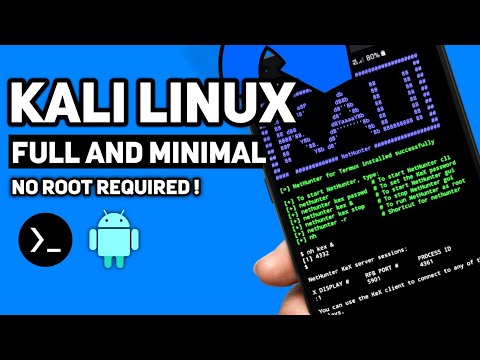
Mastering Kali Linux on Android: A Defensive Deep Dive into ARM Exploitation & Mobile Security

Visualizing the Kali Linux environment on an Android device, a gateway to mobile security analysis.

The hum of a compromised network is a siren song to some. To us, it's a data stream, a puzzle inscribed in logs and packets. Today, we're not dissecting the usual server farm; we're descending into the palm of your hand. The modern attacker knows the battleground has expanded beyond the desktop. Mobile devices, once mere communication tools, are now potent platforms for both attack and defense. Deploying a full-fledged security distribution like Kali Linux onto an Android device, especially without the need for root privileges, shifts the paradigm for mobile security professionals and ethical hackers. This isn't about making your phone a weapon; it's about transforming it into a mobile security lab, a crucial tool for analysis and understanding the threats lurking in the mobile ecosystem.

Understanding how to provision Kali Linux on Android, particularly for architectures like ARM, is vital for anyone involved in penetration testing, threat hunting, or mobile application security. It allows for deep dives into network traffic, reverse engineering mobile applications, and even understanding exploit vectors targeting mobile operating systems. The absence of root access simplifies deployment for many users and bypasses common security restrictions, opening up new avenues for analysis right from your pocket. This guide will illuminate the process from a defensive perspective, showing you how to leverage this capability to build a more robust mobile security posture.

Table of Contents

Understanding ARM Architecture and Linux Containers

The vast majority of mobile devices today run on ARM processors. Unlike x86 architectures that dominate desktop and server environments, ARM is designed for power efficiency, making it ideal for battery-powered devices. This fundamental difference impacts how software is compiled and executed. When we talk about running Kali Linux on Android, we're typically not performing a bare-metal installation. Instead, we are utilizing containerization or chroot environments that simulate a Linux system within Android's existing Linux kernel. Technologies like proot (a user-space implementation of chroot, mount --bind, and C library interactions) are instrumental here. They allow us to run a Kali Linux user-space on top of the Android system without requiring kernel modifications or root access. This means we can execute standard Linux binaries and tools, albeit compiled for the ARM architecture, within a sandboxed environment.

The key here is recognizing that the Android kernel itself is Linux. Therefore, with the right tools, we can overlay a different Linux distribution's user-space. Understanding this layering is critical for defensive analysis. It means that while you have Kali tools at your disposal, the underlying Android security model, SELinux policies, and kernel protections are still in play. Exploiting this setup defensively means comprehending the interaction between these layers. For instance, understanding how `proot` manipulates file paths and permissions is crucial for analyzing potential privilege escalation vectors or containment bypasses.

The No-Root Approach: Leveraging proot

The allure of running Kali Linux on Android without root is significant. Root access fundamentally alters the device's security posture, making it more vulnerable to malicious software and compromising data integrity. The proot utility is the linchpin of this no-root strategy. It intercepts system calls and redirects them, creating an illusion of a different root directory for the processes running within the simulated environment. This is akin to setting up a virtualized environment, but with a much lighter footprint.

Tools like Termux have popularized this approach. Termux provides a minimal Linux environment and package manager on Android, and through its extensions and community packages, users can install `proot` and then bootstrap a Kali Linux user-space. The process involves downloading a pre-compiled Kali rootfs (root file system) for ARM, extracting it, and then using `proot` to mount and execute binaries from this extracted environment. From a defensive standpoint, this is fascinating. You're essentially running a separate, isolated Linux distribution with its own set of tools and libraries, all mediated by `proot` and the Android system. This isolation, while not as robust as full virtualization or containerization (like Docker on other platforms), provides a valuable layer for security research. It allows you to experiment with network tools, scripting languages, and security frameworks without impacting the core Android system.

"The best defense is a deep understanding of the attack. By simulating offensive environments in controlled settings, we build impenetrable walls." - cha0smagick

When setting this up, consider the implications. While `proot` offers isolation, it's not a foolproof security boundary. A sophisticated exploit within the Kali environment could potentially breach the `proot` layer and interact with the underlying Android system. Therefore, vigilance is paramount.

Setting Up Your Mobile Security Lab: Kali NetRunner on Android

While various methods exist, one common and effective way to deploy a comprehensive Kali environment non-root is through applications like Termux, often combined with scripts that automate the bootstrapping process. For instance, community-developed scripts leverage `proot` to download and set up a Kali Linux rootfs (which includes a desktop environment like XFCE, making it feel like a full Kali installation) within Termux. This allows you to run graphical applications and a full suite of security tools directly on your Android device.

The typical workflow involves:

  1. Installing Termux from F-Droid (for the latest versions with better support).
  2. Updating Termux packages: pkg update && pkg upgrade -y
  3. Installing necessary utilities: pkg install git proot wget -y
  4. Cloning a popular Kali bootstrapping script repository (e.g., from GitHub, search for "kali linux on termux no root").
  5. Running the script to download the Kali rootfs and set up the environment. This can take a significant amount of time and storage space.
  6. Starting the Kali session using `proot`. This often involves commands like ./start-kali.sh or similar, depending on the script used.
  7. Once the session is active, you can launch graphical applications via VNC or an X server client within Termux.

This process transforms your device into a portable penetration testing and security analysis workstation. From a defensive perspective, this setup is invaluable for simulating attacks against mobile services or networks you are responsible for protecting. It allows you to test your own infrastructure from a mobile platform, identifying weaknesses that might only be apparent when approached from a different vector.

Defensive Strategies: Monitoring and Analysis

Having Kali Linux on your Android device isn't just about offensive capabilities; it's a powerful tool for defense. The ability to run tools like Wireshark (or its command-line counterpart, TShark), Nmap, tcpdump, dnscat2, or even simple shell scripting directly on your phone allows for on-the-go network monitoring and analysis. Imagine being able to capture traffic from a public Wi-Fi network you're connected to, analyze it for suspicious patterns, or scan your local network for rogue devices – all from your phone.

Key Defensive Use Cases:

  • Network Traffic Analysis: Use tcpdump or TShark to capture and analyze network packets in real-time. This is invaluable for identifying unauthorized communication, data exfiltration attempts, or reconnaissance activities.
  • Vulnerability Scanning: Employ Nmap to scan your local network or specific segments for open ports, running services, and potential vulnerabilities. This helps in identifying exposed assets that need patching or hardening.
  • Log Analysis: While full-fledged log management is difficult on mobile, you can use tools like grep, awk, and sed to quickly sift through log files for anomalous entries when investigating an incident remotely.
  • Incident Response Preparation: Have a controlled environment ready to analyze suspicious files or network connections encountered on the go.

The crucial defensive aspect is understanding the output of these tools. Learning to differentiate normal network behavior from malicious activity, recognizing patterns indicative of scanning or exploitation, and knowing how to interpret packet captures are skills honed through practice. Your mobile Kali environment becomes a sandbox for learning and applying these defensive techniques.

Vulnerability Research on Mobile Platforms

The mobile landscape presents unique security challenges. Applications often run with broad permissions, interact with sensitive hardware (camera, microphone, GPS), and communicate over potentially untrusted networks. Running Kali on Android provides a platform to delve into this. You can set up an environment to:

  • Analyze Mobile Application Binaries: Use tools like radare2, Ghidra (if you can get it running), or objdump to reverse engineer Android applications (APKs, which are essentially ZIP archives containing Dalvik bytecode). Understanding how applications process data, handle authentication, and store sensitive information is key to finding vulnerabilities like insecure data storage or logic flaws.
  • Intercept and Modify Mobile Traffic: Set up tools like mitmproxy or Burp Suite (if feasible on ARM) to act as a Man-in-the-Middle proxy for traffic originating from other apps on your device (or other devices on your network, acting as a mobile gateway). This allows you to inspect, modify, and replay HTTP/S requests, uncovering vulnerabilities in how applications communicate with their backend servers.
  • Test Network Services: If you're developing or managing mobile backend services, you can use your mobile Kali setup to test their security from a mobile perspective, simulating real-world attack vectors.

This type of research is inherently dual-use. The knowledge gained from understanding how to probe mobile applications and their networks can be used to build better defenses, implement stronger security controls, and develop more resilient applications. It’s about knowing the enemy’s playbook to fortify your own position.

Arsenal of the Mobile Operator/Analyst

To effectively leverage Kali Linux on Android, a curated set of tools and knowledge is essential. Beyond the standard Kali repositories, consider these:

  • Termux:API: Grants access to device hardware and features (camera, GPS, sensors) from within Termux, invaluable for mobile-specific security testing.
  • VNC Viewer / XServer XSDL: For accessing graphical desktop environments (like XFCE) running under `proot`.
  • NetGuard / Firewall Apps: To control network access for individual applications, including Termux, enhancing isolation.
  • Mobile VPN Clients: For secure tunneling of your traffic, especially when analyzing potentially sensitive data.
  • Books: "The Web Application Hacker's Handbook" (for understanding web-based vulnerabilities relevant to mobile app backends), "Practical Mobile Forensics" (for understanding mobile data structures), and any good Python or ARM assembly language guides.
  • Certifications: While not directly applicable to mobile Kali, certifications like the CompTIA Security+, OSCP (Offensive Security Certified Professional), or GIAC Mobile Device Security Analyst (GMOB) provide foundational knowledge critical for this work.

Investing in these tools and expanding your knowledge base directly translates to a more capable and efficient defense strategy. The effectiveness of your mobile security operations hinges on the quality of your tools and your expertise in using them.

FAQ: Mobile Kali Linux

Can I really install full Kali Linux on Android without root?

Yes, using tools like Termux and `proot`, you can run a Kali Linux user-space environment, including graphical desktops and most standard tools, without needing root access. It's a simulated environment, not a native installation.

Is it safe to use Kali Linux on my primary Android device?

While the no-root method offers isolation, it's generally not recommended to run security tools on your primary device, especially if it contains sensitive personal data. A compromised environment or a misconfiguration could still pose risks. Using a dedicated secondary device is a safer approach.

What are the performance limitations of running Kali on Android?

Performance depends heavily on your device's hardware (CPU, RAM, storage speed) and what you're trying to run. Graphical environments and resource-intensive tools like Wireshark or reverse engineering frameworks can strain older or lower-spec devices. ARM architecture can also have compatibility nuances for certain x86-compiled tools.

How do I update Kali Linux when running it on Android via Termux?

You'll typically update Kali packages using its own package manager (apt update && apt upgrade) within the Kali session established by `proot`. Termux packages should also be updated separately via pkg update && pkg upgrade.

The Contract: Securing Your Mobile Perimeter

The power to wield Kali Linux from your pocket is a double-edged sword. It grants unparalleled insight into mobile security threats, but also demands a profound sense of responsibility. Your mobile device, now a portable security analysis station, must itself be secured. This means rigorously applying the very principles you explore: strong passwords, device encryption, disabling unnecessary services, and being hyper-aware of the apps you install and the networks you connect to.

Consider this your final briefing: What is the single most critical security configuration you will implement on your Android device *before* you even consider installing Termux or any security tools? Document this step and the reasoning behind it. Share your thoughts below. The strength of your perimeter is measured by your discipline.