{/* Google tag (gtag.js) */} SecTemple: hacking, threat hunting, pentesting y Ciberseguridad
Showing posts with label attack vectors. Show all posts

Mastering Phishing Attacks: A Comprehensive Security+ Dossier (SY0-501 & SY0-601)


The digital landscape is a battleground, and understanding the enemy's tactics is paramount for survival. In this dossier, we dissect one of the most pervasive and deceptively simple threats: Phishing attacks. Far from being a mere nuisance, these well-crafted deceptions can compromise critical data, drain financial resources, and cripple organizational infrastructure. This is not just a theoretical overview; it’s a deep dive into the mechanics, a blueprint for understanding how these operations are launched, and critically, how to defend against them.

Advertencia Ética: La siguiente técnica debe ser utilizada únicamente en entornos controlados y con autorización explícita. Su uso malintencionado es ilegal y puede tener consecuencias legales graves.

This comprehensive guide serves as Episode 2 of our FREE CompTIA Security+ course, covering essential objectives for both the SY0-501 and SY0-601 certifications. We will explore the anatomy of phishing, its diverse variants, and demonstrate the deployment of a practical tool used in these operations. Your mission, should you choose to accept it, is to absorb this intelligence and fortify your defenses.

Deconstructing the Phishing Arsenal

Before we delve into practical deployment, it's crucial to understand the terminology and the specific vectors attackers employ. Phishing is an umbrella term for a variety of social engineering tactics designed to trick individuals into divulging sensitive information or performing actions that benefit the attacker. Here’s a breakdown of the common types:

  • Phishing: The general term for fraudulent attempts to obtain sensitive information by disguising as a trustworthy entity in an electronic communication.
  • Smishing (SMS Phishing): Phishing attacks conducted via SMS text messages. These often contain links to malicious websites or urgent requests for information.
  • Vishing (Voice Phishing): Phishing attacks perpetrated over the phone. Attackers impersonate legitimate organizations (banks, government agencies, tech support) to extract information or persuade victims to install malware.
  • Spear Phishing: A highly targeted phishing attack. Attackers research their victims (individuals or organizations) to craft personalized and convincing messages, significantly increasing the success rate.
  • Pharming: A sophisticated attack that redirects users from a legitimate website to a fraudulent one without their knowledge. This is often achieved by compromising DNS servers or a host's local system.
  • Spam: Unsolicited bulk messages, typically commercial in nature, sent indiscriminately to a large number of recipients. While often an annoyance, spam can be a delivery mechanism for phishing attempts.
  • SPIM (Spam over Internet Messaging): Similar to spam, but delivered via instant messaging platforms.
  • Whaling: A type of spear phishing specifically targeting high-profile individuals within an organization, such as CEOs or senior executives, often with the goal of large-scale financial fraud or corporate espionage.
  • Credential Harvesting: The specific act of collecting usernames and passwords, typically through fake login pages or forms presented during a phishing attack.
  • Invoice Scams: A common phishing tactic where attackers send fraudulent invoices, often appearing to be from legitimate suppliers, to trick recipients into making payments or revealing financial details.

Mission Briefing: Deploying the Black Eye Phishing Tool

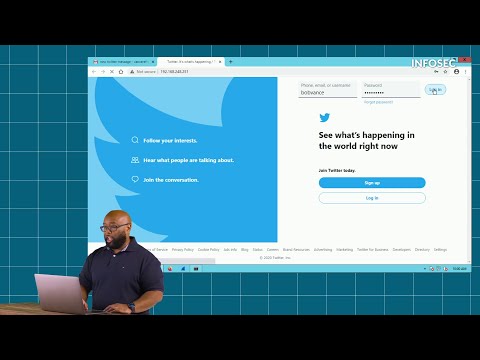
For this operational demonstration, we will utilize the Black Eye Phishing tool. This tool, while powerful, is a prime example of the technologies attackers can leverage. Understanding its functionality is key to recognizing and mitigating its impact.

Download Link: Black Eye Phishing Tool

This tool simplifies the process of creating convincing phishing pages. The following steps outline its deployment and use. Remember, this is for educational purposes to understand the attack vector.

Phase 1: Constructing a Malicious Phishing Website

  1. Installation: Ensure you have the necessary prerequisites for Black Eye installed on your system. This typically involves Python and potentially other libraries. Follow the installation guide provided with the tool.
  2. Launching the Tool: Execute the Black Eye script from your terminal.
  3. Template Selection: Black Eye offers various templates that mimic legitimate websites (e.g., login pages for popular services like Google, Facebook, or banking portals). Choose a template that aligns with your intended target.
  4. Configuration: Configure the tool to host the phishing page. This might involve setting up a local web server or, for more advanced operations, using a compromised or purchased domain with hosting. The tool will guide you through specifying the target URL for credential redirection. For instance, if you choose a Google login template, you will configure it to send harvested credentials to a specific endpoint you control.
  5. Website Generation: Once configured, Black Eye generates the phishing website. This page will look identical to the legitimate site, designed to fool users into entering their credentials.

Phase 2: Executing the Phishing Email Campaign

A convincing website is only half the battle. The other half is luring your target to it. Attackers often use email to distribute phishing links.

  1. Crafting the Malicious Email: Write an email that appears to be from a legitimate source. This could be a fake notification from a shipping company, a password reset request from a service provider, or an urgent security alert. The email should create a sense of urgency or curiosity, prompting the recipient to click the provided link.
  2. Embedding the Phishing Link: Insert the URL of your Black Eye-generated phishing page into the email. This link can be disguised using URL shorteners or by embedding it within seemingly innocuous text or buttons.
  3. Sending the Campaign: Use an email client or a dedicated bulk email sending tool to send the phishing emails to your targets. For realistic simulations, consider using tools that allow for email spoofing (though this requires advanced knowledge and ethical considerations).
  4. Credential Harvesting: When a victim clicks the link and enters their credentials on the fake login page, Black Eye captures this information. The tool will typically log these credentials to a file for the attacker to retrieve.

Beyond the Email: A Spectrum of Phishing Techniques

While email phishing and credential harvesting are common, attackers employ a variety of methods:

  • Smishing: Attackers send SMS messages with malicious links, often impersonating banks or delivery services. The urgency is conveyed through short, direct messages.
  • Vishing: Phone calls where attackers impersonate IT support or government officials. They might ask for remote access to your computer or demand payment for fake services or fines.
  • Spear Phishing & Whaling: These highly personalized attacks require significant reconnaissance. Attackers might leverage information from social media, company websites, or previous breaches to craft incredibly believable messages tailored to the individual or executive.
  • Pharming: This attack bypasses the need for a convincing email. By manipulating DNS records or hosts files, any attempt to visit a legitimate website can be redirected, making it incredibly difficult to detect.

CompTIA Security+ Resources: Your Official Intelligence Briefings

To truly master cybersecurity, foundational knowledge is essential. The CompTIA Security+ certification provides a robust framework for understanding these threats. Here are key resources to deepen your understanding:

  • Official CompTIA Study Guide: Purchase the official guide for a structured learning path.
  • CompTIA eLearning: Explore interactive learning modules and practice exams from CompTIA eLearning.
  • Collaborative Course: This episode is part of a FREE Security+ course, created in collaboration with industry experts David Bombal and the late, great Jeremy Cioara (Keeping IT Simple).
  • Security+ Playlist: Access all episodes in the series here: Security+ Playlist.

The Engineer's Arsenal: Essential Tools & Intel

As an operative in the digital realm, your toolkit is as vital as your intellect. Beyond specific phishing tools, consider these resources:

  • CEH Study Tools: For those aiming for Certified Ethical Hacker certification, explore comprehensive resources like ITProTV for video training and labs, and essential books available on Amazon or via a 10-day FREE TRIAL on O'Reilly.
  • Programming for Automation: Skills in languages like Python are invaluable. Consider Codecademy's Python courses to build your own security tools or automate defense mechanisms.
  • Network Gear & Recommendations: For building secure and robust networks, explore recommended gear: My Network Gear.
  • General Recommendations: Check out my curated list of tech and tools on Amazon.
  • Raspberry Pi: A versatile tool for various tech projects, including security labs. Buy a Raspberry Pi here.

Comparative Analysis: Black Eye vs. Advanced Frameworks

While Black Eye is a straightforward tool for demonstrating phishing principles, the professional threat landscape involves more sophisticated frameworks. Tools like SET (Social-Engineer Toolkit) offer a wider array of attack vectors, including more advanced credential harvesting techniques, website cloning, and payload delivery. SET is highly configurable and integrates with various social engineering methodologies. For true offensive operations, frameworks like Empire or commercial pentesting suites provide more robust capabilities for post-exploitation, lateral movement, and persistence. However, for educational purposes, Black Eye effectively illustrates the core mechanism of phishing page creation and credential interception.

The Engineer's Verdict on Phishing Defense

Phishing attacks prey on human psychology – trust, fear, and urgency. While technical defenses like email filters and web security gateways are crucial, they are not infallible. The most potent defense lies in user education and vigilance. Every individual interacting with digital systems must be trained to scrutinize communications, verify sources, and question unsolicited requests for sensitive information. Implementing multi-factor authentication (MFA) is a non-negotiable step, as it provides a critical second layer of security even if credentials are compromised.

Frequently Asked Questions

What is the primary goal of a phishing attack?

The primary goal is to trick individuals into revealing sensitive information such as usernames, passwords, credit card details, or other personally identifiable information, or to compromise their systems by installing malware.

How can I protect myself from phishing?

Be skeptical of unsolicited communications, verify the sender's identity, avoid clicking suspicious links or downloading attachments, use strong, unique passwords, and enable multi-factor authentication (MFA) wherever possible. Regularly update your software and use reputable security solutions.

Is using a tool like Black Eye illegal?

Using tools like Black Eye to attack systems or individuals without explicit, written authorization is highly illegal and carries severe penalties. Their purpose is for educational and ethical security testing in controlled environments only.

What is the difference between phishing and spear phishing?

Phishing is a broad, untargeted attack, while spear phishing is a highly targeted attack customized for a specific individual or organization, making it much more convincing and dangerous.

How do pharming attacks work?

Pharming attacks redirect users from legitimate websites to malicious ones by corrupting the Domain Name System (DNS) resolution process or by modifying the host files on a user's computer. This means even typing the correct URL can lead to a fake site.

About The Cha0smagick

I am The Cha0smagick, an engineer and ethical hacker with a passion for demystifying complex technological landscapes. My mission is to translate intricate concepts into actionable intelligence and practical blueprints. Sectemple serves as a repository of dossiers, providing the elite operative with the knowledge needed to navigate and dominate the digital frontier. I believe in empowering individuals through knowledge, fostering a proactive approach to cybersecurity and technological mastery.

Mission Debrief & Next Steps

You have now been briefed on the mechanics of phishing attacks and have seen a practical demonstration of how one such operation can be initiated. Understanding these attack vectors is the first line of defense. The ease with which these operations can be launched is indeed alarming, but knowledge is your most potent weapon.

"The greatest security for any organization is a well-informed and vigilant workforce."

The digital world is constantly evolving, and so must your strategies. Continuous learning and adaptation are not optional; they are survival imperatives. Remember, for every exploit, there is a countermeasure. For every attack, there is a defense.

Your Mission: Execute, Share, and Debate

If this dossier has equipped you with critical intelligence or saved you valuable operational time, your next directive is clear: share this knowledge. An informed network is a stronger network.

  • Share the Blueprint: Transmit this knowledge to your network. Equip your colleagues and peers with this vital intel.
  • Engage in Debriefing: Did you find this analysis insightful? Do you have questions, or perhaps real-world scenarios to discuss? Drop your thoughts in the comments below. Each debriefing session sharpens our collective understanding.
  • Demand Future Dossiers: What threat vectors or technologies should we dissect next? Your input shapes our intelligence priorities. Let us know what you need to master.

Now, go forth and fortify your defenses. The digital frontier awaits.

Plotted-LMS: Deciphering the Digital Canvas for Defensive Mastery

From the shadows of the network, whispers emerge of data visualized, of systems laid bare not by brute force, but by intricate plotting. What is Plotted-LMS? A clue? A tool? Or merely a ghost in the machine, a digital fingerprint left behind in the endless audit trail? Today, we peel back the layers, not to replicate the act, but to understand the technique, to arm ourselves against the artistry of obfuscation. Forget the sensational headlines; we're here for the blueprint of defense.

Table of Contents

Understanding the "Plotted" Narrative

The digital realm is a canvas, and for some, the most effective revelations come not from raw data dumps, but from meticulously crafted visualizations. When information is "plotted," it suggests a deliberate act of rendering complex datasets into a more digestible, often more persuasive, form. Plotted-LMS, first observed surfacing around April 24, 2022, represents this phenomenon. It's not just about the data; it's about how that data is presented to influence perception, to guide action, or to exfiltrate sensitive insights under the guise of simple reporting.

In the world of cybersecurity, understanding this narrative is paramount. An attacker might use plotting to mask malicious activity within seemingly innocuous charts, or to map out network topologies for future exploitation. As defenders, we must dissect these visualizations, not just for their content, but for their intent and the underlying methodologies they conceal. This isn't about passive observation; it's about active interrogation of the visual evidence.

Anatomy of a Visual Attack Vector

The essence of a "plotted" reveal, like Plotted-LMS, lies in transformation. Attackers often leverage plotting to:

  • Obfuscate Malicious Traffic: Encrypting or embedding malicious commands within legitimate-looking network diagrams or performance graphs. A subtle anomaly in a plotting tool could be a beacon for C2 communication.
  • Map Attack Surfaces: Visualizing network infrastructure, software versions, and identified vulnerabilities to create a clear roadmap for exploitation. Think of it as the attacker's architectural blueprint.
  • Exfiltrate Sensitive Data: Encoding data within the visual elements themselves. Steganography techniques can hide data within images, and plotting tools can be repurposed for similar goals, embedding fragments of sensitive information into complex graphical representations.
  • Social Engineering: Presenting fabricated data in a visually compelling manner to deceive users or stakeholders into making critical errors, granting access, or divulging credentials. A well-plotted chart can be more convincing than a page of logs.

The creator behind such revelations often operates with a deep understanding of both data visualization tools and the vulnerabilities they can exploit or mask. The goal is to move beyond simple data points and manipulate the interpretation of that data.

Fortifying the Visual Perimeter

Defending against attacks that leverage data visualization requires a multi-layered approach, focusing on detection, analysis, and proactive hardening:

  • Log Analysis and Anomaly Detection: Implement robust logging for systems that generate or process visual data. Monitor access patterns, unusual data sources being fed into plotting tools, and deviations from normal performance metrics. Tools like Splunk, ELK Stack, or even custom scripts can help identify anomalies.
  • Endpoint Detection and Response (EDR): Deploy EDR solutions to monitor processes associated with visualization software. Look for unusual network connections originating from these applications, suspicious file modifications, or unexpected command-line arguments.
  • Network Traffic Analysis (NTA): Analyze network traffic for anomalies that might indicate data exfiltration or C2 communication disguised within graphical representations. This includes monitoring for unusually large data transfers or connections to unknown external hosts.
  • Code and Configuration Audits: Regularly audit the code of custom plotting scripts and the configurations of visualization tools. Look for insecure libraries, hardcoded credentials, or excessive permissions that could be leveraged by an attacker.
  • Behavioral Analysis: Understand the typical behavior of users and systems that interact with plotting tools. Any deviation from this baseline, such as a user accessing unusual datasets or a plotting service making outbound connections it shouldn't, warrants investigation.

The key is to treat visualization software not just as reporting tools, but as potential attack vectors. Every application that touches data can be a point of compromise.

Arsenal of the Digital Sentinel

To effectively counter threats that manifest through manipulated data or hidden information within visualizations, the modern defender needs a specialized toolkit. Here are essential components:

  • Log Aggregation & Analysis Platforms:
    • SIEM Solutions (e.g., Splunk, QRadar): For centralized logging, correlation, and real-time threat detection. Essential for spotting anomalies across vast datasets.
    • ELK Stack (Elasticsearch, Logstash, Kibana): A powerful, open-source alternative for log management and visualization, ironically. It's about using visualization tools defensively.
  • Network Monitoring Tools:
    • Wireshark: The gold standard for deep packet inspection. Analyze raw network traffic for hidden patterns or disguised data.
    • Zeek (formerly Bro): A powerful network analysis framework that generates comprehensive logs of network activity, crucial for identifying suspicious flows.
  • Endpoint Security:
    • EDR Solutions (e.g., CrowdStrike Falcon, SentinelOne): To monitor endpoint processes, file activity, and network connections in real-time.
  • Data Science & Scripting:
    • Python with Libraries (e.g., Pandas, Matplotlib, Seaborn): For custom script development, data analysis, and building defensive tools. Mastering these libraries is key to understanding both offensive and defensive plotting techniques. You might need to analyze malicious plots or create your own real-time anomaly detection dashboards.
    • Jupyter Notebooks: An interactive environment for data analysis and visualization, perfect for dissecting suspicious datasets or developing quick scripts.
  • Vulnerability Assessment & Pentesting Tools:
    • OWASP Amass: For comprehensive asset discovery and attack surface mapping. Understanding what an attacker sees visually of your infrastructure is critical.
    • Burp Suite Professional: While primarily for web application security, its capabilities in analyzing data flows and API interactions can be invaluable in understanding how data is processed and potentially manipulated.
  • Essential Reading & Certifications:
    • The Web Application Hacker's Handbook: For understanding how data is processed and manipulated in web applications.
    • Hands-On Network Programming with Python: Essential for building custom network analysis and defense tools.
    • Certifications like OSCP or GIAC certifications (GCIH, GCFA): Practical, hands-on experience is non-negotiable. These certifications validate the skills needed to both understand attacks and implement robust defenses.

Frequently Asked Questions

Q1: Is "Plotted-LMS" a specific tool or a concept?
A1: While the precise nature of "Plotted-LMS" might refer to specific code or a particular instance, it broadly represents the concept of data being presented and manipulated through plotting or visualization techniques, often with malicious intent or for obfuscation.

Q2: How can I protect my organization from data being hidden in images or plots?
A2: Implement robust data loss prevention (DLP) solutions, monitor network traffic for unusual data transfers, conduct regular audits of data handling processes, and employ steganography detection tools if the risk is extremely high.

Q3: Aren't visualization tools primarily for legitimate analysis?
A3: Absolutely. However, like any powerful tool, they can be repurposed. Understanding the defensive implications of visualization software is key to a comprehensive security posture, not an indictment of the tools themselves.

Q4: What's the first step to detecting malicious plotting?
A4: Start with comprehensive logging of all systems involved in data collection, processing, and visualization. Then, establish baseline behaviors and set up alerts for anomalies in data access, processing, and network egress.

The Contract: Your Visual Defense Challenge

The digital landscape is awash with data, much of it presented through compelling charts and graphs. Your challenge: find the deception. Imagine you are handed a network performance report with a series of intricate plots. Your task is to perform a rapid visual reconnaissance:

  1. Identify Anomalies: Scan the provided plots for any visual elements that seem out of place, statistically improbable, or simply don't align with expected network behavior. Look for sudden spikes, unexplained flatlines, or graphical patterns that deviate from historical trends.
  2. Question the Source: Where did this data come from? Is the source trusted? Are there discrepancies between the raw data (if available) and its graphical representation?
  3. Hypothesize Malice: Consider how these visual anomalies could be leveraged. Could a suspicious peak in traffic be C2 communication? Could a seemingly innocuous pattern be encoded data?

Document your findings, no matter how small. The true strength of a defender lies not in finding the smoking gun, but in noticing the faintest wisp of smoke. Now, take this knowledge and apply it. Analyze your own systems or a controlled environment. What hidden narratives are your data telling?

Ignore tags: #hacking,#infosec,#tutorial,#bugbounty,#threat,#hunting,#pentest,#hacked,#ethical,#hacker,#cyber,#learn,#security,#computer,#pc,#news

```

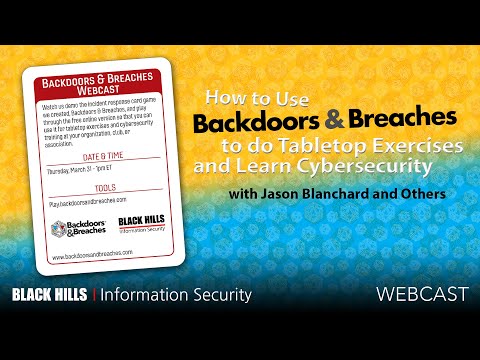
Backdoors & Breaches: Mastering Cybersecurity Tabletop Exercises

The digital realm is a battlefield, a shadowy expanse where data flows like quicksilver and threats lurk in every packet. You're not just a player; you're an architect of defense, a hunter of shadows. But how do you hone those instincts? How do you sharpen your blade against an enemy you can't always see? You simulate. You test. You break things so you can build them stronger. Today, we're not just discussing cybersecurity; we're dissecting it, using a tool designed to mimic the chaos of a real-world breach, turning chaos into knowledge. We're talking about "Backdoors & Breaches," a tabletop exercise that transforms attack vectors into learning modules.

In this deep dive, we'll explore how a well-crafted tabletop exercise, fueled by the scenarios within "Backdoors & Breaches," can elevate your team's defensive posture. Forget sterile theory; this is about visceral, hands-on learning, understanding the attacker's mindset to solidify the defender's wall. Jason from BHIS (The Breach and Attack Simulation company) has been instrumental in bringing these exercises to life, proving that the best way to learn defense is to understand the offense it's designed to repel.

Table of Contents

What is Backdoors & Breaches?

At its core, "Backdoors & Breaches" is more than just a game; it's a meticulously designed simulation environment. It provides a framework of attack scenarios, from initial access vectors to lateral movement and data exfiltration. This isn't about teaching you *how* to execute these attacks maliciously, but rather how to recognize their footprints and build effective countermeasures. Think of it as a forensic autopsy for digital intrusions, performed *before* the real crime happens. It's a sandbox where defenders can play the role of the attacker, exploring vulnerabilities and understanding the attacker's decision-making process without real-world consequences.

The beauty of this approach lies in its adaptability. Whether you're a seasoned penetration tester preparing for a client engagement, a blue team member honing incident response skills, or a cybersecurity student trying to grasp complex attack chains, "Backdoors & Breaches" offers a tangible path to understanding. It translates abstract cybersecurity concepts into actionable intelligence, providing a common ground for communication and strategy development within a security team.

The Power of Tabletop Exercises

In the shadowy world of cybersecurity, theoretical knowledge can only take you so far. The real test comes when simulated chaos erupts. Tabletop exercises, like those facilitated by "Backdoors & Breaches," are the crucible where theoretical defenses are forged into practical resilience. They are structured discussions, not technical drills, designed to walk through a simulated incident. Participants, often from different security functions, discuss their roles, responsibilities, and actions in response to a predefined scenario.

The benefits are manifold:

  • Enhanced Communication: Breaches rarely respect organizational silos. Tabletop exercises ensure that IT, security operations, legal, and management understand each other's roles and communicate effectively under pressure.
  • Identification of Gaps: Walking through a scenario often reveals overlooked procedures, missing documentation, or unclear lines of authority – critical weaknesses that could be exploited.
  • Skill Refinement: Participants practice decision-making, resource allocation, and strategic thinking in a low-stakes environment, refining their ability to react swiftly and effectively during a real incident.
  • Testing Incident Response Plans (IRPs): These exercises are the perfect proving ground for your existing IRPs. You identify what works, what needs tweaking, and what crucial elements are missing entirely.

I've seen too many organizations rely on a dusty IRP that's never been truly tested. When a breach hits, panic sets in, and the plan becomes useless. This is where tools and methodologies like "Backdoors & Breaches" are invaluable. They provide the realism needed to make those plans effective defenses, not just decorative documents.

Anatomy of a Breach Scenario

A well-constructed breach scenario is a narrative of compromise. It’s not just a list of events; it’s a logical progression, mirroring how an adversary operates. "Backdoors & Breaches" excels at providing these narratives, often detailing:

  • Initial Access: How did the attacker get in? Was it a phishing email, a vulnerable web application, a compromised credential? Understanding this vector is key to preventing recurrence.
  • Establish Foothold: Once inside, attackers seek persistence. This involves installing malware, creating new user accounts, or exploiting misconfigurations to maintain access.
  • Privilege Escalation: The attacker rarely remains at low privilege. They aim to elevate their access to gain administrative rights, unlocking more sensitive systems and data.
  • Lateral Movement: From one compromised host, attackers pivot to others, seeking valuable targets like domain controllers, databases, or critical servers. Tools like Mimikatz or PsExec are often deployed here.
  • Data Discovery and Exfiltration: The ultimate goal is often to steal sensitive information. Attackers will scan networks, identify valuable data stores, and then find ways to exfiltrate it, often disguised as legitimate traffic.
  • Impact and Detection: What is the consequence of this breach? And crucially, what were the signs that could have led to its detection? This is where the defender's perspective shines.

Each step in this chain represents an opportunity for defense. By dissecting these scenarios, defenders can identify where their systems were vulnerable, where detection mechanisms failed, and where response protocols were inadequate. It's about mapping the attacker's journey to build a more impenetrable fortress.

Leveraging Offensive Tactics for Defensive Insight

The cardinal rule of effective defense is understanding your adversary. You cannot build a shield if you don't know the shape of the sword aimed at you. "Backdoors & Breaches" brilliantly forces defenders to adopt an offensive mindset, albeit in a controlled, ethical manner. By walking through attack paths, teams can ask critical questions:

  • "If an attacker uses PowerShell Empire for C2, what network and endpoint logs would we see?"
  • "When an attacker attempts to dump LSASS credentials, what security tools would trigger an alert?"
  • "How would we detect an attacker moving laterally using RDP or WinRM?"
  • "If sensitive data is being staged for exfiltration, what data loss prevention (DLP) mechanisms could have alerted us?"

This exercise transforms abstract threats from threat intelligence reports into concrete, actionable defenses. It moves security from a reactive posture to a proactive one, where potential attack vectors are identified and mitigated *before* they are exploited in the wild. It’s the difference between fighting a fire and building a fireproof structure.

"The best defense is a good offense." This adage, often attributed to martial arts and military strategy, holds profound truth in cybersecurity. Understanding offensive techniques isn't about enabling attacks; it's about mastering the art of parrying them.

Building a Robust Incident Response Plan

A tabletop exercise is only as good as the incident response plan (IRP) it tests. "Backdoors & Breaches" provides the scenarios, but your team needs a solid IRP to respond to them. A comprehensive IRP typically includes:

  • Preparation: Establishing security policies, training staff, implementing security tools, and developing an incident response team structure.
  • Identification: Detecting potential incidents through monitoring, log analysis, and threat intelligence.
  • Containment: Isolating affected systems to prevent further spread and damage. This might involve network segmentation or disabling compromised accounts.
  • Eradication: Removing the threat from the environment, which could involve patching vulnerabilities, removing malware, or rebuilding systems.
  • Recovery: Restoring affected systems and data to normal operations, often from backups.
  • Lessons Learned: Post-incident analysis to identify what went well, what didn't, and how to improve the IRP and security posture going forward.

Using "Backdoors & Breaches" during an IRP review session allows teams to walk through each phase. For example, a scenario involving ransomware could test the effectiveness of backup and restore procedures, while a data exfiltration scenario could stress-test network monitoring and DLP controls. The insights gained directly inform improvements to the IRP, making it a living, breathing document ready for battle.

Arsenal of the Operator/Analyst

To truly leverage tools like "Backdoors & Breaches" and excel in cybersecurity defense, you need the right gear:

  • SIEM Solutions: Platforms like Splunk, ELK Stack, or QRadar are essential for aggregating and analyzing logs from various sources, crucial for detecting simulated breaches.
  • Endpoint Detection and Response (EDR): Tools like CrowdStrike, SentinelOne, or Microsoft Defender for Endpoint provide deep visibility into endpoint activities, vital for spotting malicious processes and lateral movement.
  • Network Traffic Analysis (NTA): Solutions like Zeek (Bro), Suricata, or commercial NTA tools help monitor network traffic for suspicious patterns, command-and-control communication, or data exfiltration.
  • Threat Intelligence Platforms (TIPs): Aggregating and correlating threat data from various feeds helps contextualize alerts and identify emerging threats relevant to your organization.
  • Forensic Tools: For deep dives post-incident (or post-simulation), tools like Autopsy, Volatility, or FTK Imager are indispensable for analyzing disk images and memory dumps.
  • Essential Reading: "The Web Application Hacker's Handbook," "Blue Team Field Manual (BTFM)," and "Applied Network Security Monitoring."
  • Certifications: Consider OSCP for offensive skills that inform defense, CISSP for broad security management, and GIAC certifications like GCIH (Incident Handler) or GCFA (Forensic Analyst).

Engineer's Verdict: Is It Worth Adopting?

For any organization serious about moving beyond theoretical security to practical, resilient defense, "Backdoors & Breaches" is not just worth adopting; it's practically a necessity. Its strength lies in bridging the gap between offensive tactics and defensive strategies. It demystifies complex attack chains, making them understandable and actionable for blue teams.

Pros:

  • Provides realistic, narrative-driven attack scenarios.
  • Excellent for training incident response teams and improving communication.
  • Helps identify critical gaps in security controls and processes.
  • Fosters an offensive mindset, crucial for effective defense.
  • Adaptable to various skill levels and security maturity.

Cons:

  • Requires a facilitator who understands the scenarios and can guide the discussion effectively.
  • The value is heavily dependent on the active participation and engagement of the team.
  • It's one tool; it needs to be integrated into a broader incident response and security awareness program.

Ultimately, "Backdoors & Breaches" is an investment in preparedness. It turns potential failure points into learning opportunities, hardening your defenses against the relentless tide of cyber threats. If you're looking to elevate your team's readiness, this is a critical addition to your training arsenal.

Frequently Asked Questions

What is the primary goal of using "Backdoors & Breaches"?

The primary goal is to improve cybersecurity defenses by simulating real-world attack scenarios, enhancing incident response capabilities, and fostering a deeper understanding of adversary tactics among defenders.

Is "Backdoors & Breaches" for offensive or defensive teams?

It's designed for defensive teams (blue teams) to understand offensive tactics (black hat, grey hat) and improve their preparedness. However, offensive teams can also use it to refine their methodologies and understand how their actions are perceived and detected.

Do I need technical expertise to run a "Backdoors & Breaches" exercise?

While deep technical expertise is beneficial, the core of the exercise is a structured discussion. A good facilitator with a solid understanding of cybersecurity concepts can run an effective session, even if not an expert in every niche attack vector.

How often should we conduct these tabletop exercises?

Regularity is key. Depending on the organization's risk profile and the pace of evolving threats, conducting these exercises quarterly or semi-annually is highly recommended.

Can "Backdoors & Breaches" be used for compliance purposes?

Yes, many compliance frameworks (like NIST, ISO 27001) require regular incident response testing. Tabletop exercises using "Backdoors & Breaches" can serve as evidence of such testing.

The Contract: Fortifying Your Simulations

You've seen the blueprints of attack, mapped the adversary's likely movements, and begun to weave a stronger defensive tapestry. But knowledge without application is just theory. Your challenge now is to take the principles of "Backdoors & Breaches" and integrate them into your daily reality. Don't wait for the breach to test your response.

Your Contract: Select one recent, publicly disclosed data breach that resonates with a scenario you might find in "Backdoors & Breaches." Analyze its phases – from initial access to impact. Then, identify three specific defensive measures your organization (or a hypothetical one you manage) could implement or strengthen *right now* to prevent or mitigate a similar attack. Document these measures, the technologies that support them, and the operational procedures required. Share your findings in the comments – let's turn simulated wisdom into tangible security.

Remember, the best defense is an informed offense. Keep hunting, keep defending.

Ready to dive deeper? Explore the official resources:

For more on hacking, cybersecurity, and the digital frontier, visit https://sectemple.blogspot.com/ and subscribe to our newsletter. Follow us on social networks for daily insights and news:

We also invite you to explore our network of blogs for diverse insights:

Support our mission and grab some exclusive NFTs: https://mintable.app/u/cha0smagick

```json
{
  "@context": "https://schema.org",
  "@type": "BlogPosting",
  "headline": "Backdoors & Breaches: Mastering Cybersecurity Tabletop Exercises",
  "image": {
    "@type": "ImageObject",
    "url": "<!-- Placeholder for actual image URL -->",
    "description": "Diagram illustrating the attack chain simulation in Backdoors & Breaches for cybersecurity training."
  },
  "author": {
    "@type": "Person",
    "name": "cha0smagick"
  },
  "publisher": {
    "@type": "Organization",
    "name": "Sectemple",
    "logo": {
      "@type": "ImageObject",
      "url": "<!-- Placeholder for Sectemple logo URL -->"
    }
  },
  "datePublished": "2023-10-27",
  "dateModified": "2023-10-27",
  "mainEntityOfPage": {
    "@type": "WebPage",
    "@id": "<!-- Placeholder for the full URL of this post -->"
  },
  "articleSection": ["Cybersecurity", "Incident Response", "Penetration Testing", "Tabletop Exercises"],
  "keywords": "cybersecurity training, tabletop exercises, backdoors and breaches, incident response, blue team, red team, penetration testing, breach simulation, infosec, security awareness, CHIS"
}
```json { "@context": "https://schema.org", "@type": "FAQPage", "mainEntity": [ { "@type": "Question", "name": "What is the primary goal of using \"Backdoors & Breaches\"?", "acceptedAnswer": { "@type": "Answer", "text": "The primary goal is to improve cybersecurity defenses by simulating real-world attack scenarios, enhancing incident response capabilities, and fostering a deeper understanding of adversary tactics among defenders." } }, { "@type": "Question", "name": "Is \"Backdoors & Breaches\" for offensive or defensive teams?", "acceptedAnswer": { "@type": "Answer", "text": "It's designed for defensive teams (blue teams) to understand offensive tactics (black hat, grey hat) and improve their preparedness. However, offensive teams can also use it to refine their methodologies and understand how their actions are perceived and detected." } }, { "@type": "Question", "name": "Do I need technical expertise to run a \"Backdoors & Breaches\" exercise?", "acceptedAnswer": { "@type": "Answer", "text": "While deep technical expertise is beneficial, the core of the exercise is a structured discussion. A good facilitator with a solid understanding of cybersecurity concepts can run an effective session, even if not an expert in every niche attack vector." } }, { "@type": "Question", "name": "How often should we conduct these tabletop exercises?", "acceptedAnswer": { "@type": "Answer", "text": "Regularity is key. Depending on the organization's risk profile and the pace of evolving threats, conducting these exercises quarterly or semi-annually is highly recommended." } }, { "@type": "Question", "name": "Can \"Backdoors & Breaches\" be used for compliance purposes?", "acceptedAnswer": { "@type": "Answer", "text": "Yes, many compliance frameworks (like NIST, ISO 27001) require regular incident response testing. Tabletop exercises using \"Backdoors & Breaches\" can serve as evidence of such testing." } } ] }

Anatomy of a Cyber Attack: A Defensive Blueprint

The digital realm is a battlefield, a constant hum of data, whispers of vulnerabilities, and the ever-present threat of intrusion. We’re not here to admire the shadow play of attackers, but to dissect their methods, understand their motives, and build bastions that can withstand their onslaught. Today, we strip bare a typical cyber attack, not to glorify the architect of chaos, but to arm you with the knowledge to erect stronger defenses. Consider this your autopsic examination of a digital intrusion, performed by the blue team.

Digital security analyst examining network traffic

The Anatomy of an Assault: A Blue Team Perspective

The digital shadows are deep and often deceptive. Attackers operate in a world where a single misconfiguration, a moment of user inattention, or an exploitable flaw in legacy code can open the gates to the kingdom. Understanding the phases of a cyber attack is not about learning to wield the sword of disruption, but about identifying the enemy's footprints so you can block their path before they even reach the drawbridge.

Phase 1: Reconnaissance - Mapping the Target

Before any digital siege begins, the attacker maps the territory. This isn't about kicking down doors; it's about finding the cracks in the foundation. They use a variety of techniques:

  • Passive Reconnaissance: This involves gathering information without directly interacting with the target system. Think social media scraping, public records, DNS lookups, and analyzing publicly available code repositories for clues. It's like observing the castle from a distance, noting guard patrols and weak points.
  • Active Reconnaissance: Here, the attacker probes the target more directly. This can include port scanning, vulnerability scanning, and network footprinting. Tools like Nmap or specialized scanners are employed to identify open ports, running services, and potential exploitable software. This is akin to sending scouts to test the castle walls and gates.

Phase 2: Weaponization & Delivery - Crafting the Payload

Once a vulnerability or an entry point is identified, the attacker crafts a payload – the malicious code designed to exploit the weakness. This payload can take many forms:

  • Malware: This is the quintessential digital weapon. Ransomware, trojans, keyloggers, and spyware all fall under this umbrella. They are delivered via email attachments, malicious links, or by exploiting software vulnerabilities.
  • Exploits: These are pieces of code or scripts that leverage a specific bug or flaw in software or hardware to gain unauthorized access or perform malicious actions.
  • Social Engineering: Often the most potent weapon, this involves manipulating individuals into divulging sensitive information or performing actions that compromise security. Phishing emails, vishing calls, and baiting techniques are common tactics.

The delivery mechanism is just as crucial. Email remains a primary vector, but attackers also leverage compromised websites, infected USB drives, and even direct network infiltration.

Phase 3: Exploitation - Breaching the Perimeter

This is the moment of truth for the attacker. The weaponized exploit is deployed against the identified vulnerability. If successful, the attacker gains initial access to the system or network. This could be through:

  • Executing malicious code on a user's machine via phishing.
  • Gaining shell access to a vulnerable server.
  • Leveraging stolen credentials.

From a defender's perspective, this phase hinges on early detection – identifying anomalous processes, network traffic, or unauthorized access attempts.

Phase 4: Command and Control (C2) - Establishing Dominance

Once inside, the attacker needs a reliable way to communicate with the compromised system, often referred to as a Command and Control (C2) server. This allows them to:

  • Issue commands remotely.
  • Download additional tools or malware.
  • Exfiltrate data.
  • Move laterally within the network.

Detecting C2 traffic is a critical aspect of threat hunting, often involving the analysis of unusual network connections, DNS queries, or communication patterns that deviate from normal behavior.

Phase 5: Actions on Objectives - The Payoff

This is where the attacker achieves their ultimate goal. It varies widely depending on their motive:

  • Data Exfiltration: Stealing sensitive information (intellectual property, personal data, financial records).
  • Ransomware Deployment: Encrypting critical data and demanding payment for its decryption.
  • System Disruption: Causing denial-of-service, wiping data, or sabotaging operations.
  • Espionage: Gaining long-term access to monitor activities or gather intelligence.

This phase often involves lateral movement, privilege escalation, and attempts to cover their tracks. For defenders, this is the most critical phase to detect and respond to, minimizing the impact before irreversible damage is done.

Arsenal of the Operator/Analyst

To effectively defend against such sophisticated attacks, a robust arsenal of tools and knowledge is indispensable. While the attackers wield their own set of digital weapons, the defenders must be equipped with:

  • SIEM (Security Information and Event Management) Solutions: For centralized log collection and analysis (e.g., Splunk, ELK Stack).
  • Endpoint Detection and Response (EDR) Tools: To monitor and respond to threats on endpoints (e.g., CrowdStrike, SentinelOne).
  • Network Intrusion Detection/Prevention Systems (NIDS/NIPS): To analyze network traffic for malicious patterns (e.g., Snort, Suricata).
  • Threat Intelligence Platforms: To gather and analyze information on current threats and attackers.
  • Vulnerability Scanners: To identify weaknesses before attackers do (e.g., Nessus, OpenVAS).
  • Forensic Tools: For in-depth analysis of compromised systems (e.g., Volatility, Autopsy).
  • Open-Source Intelligence (OSINT) Tools: For understanding an attacker's reconnaissance capabilities.

Beyond tools, continuous learning and certifications like OSCP (Offensive Security Certified Professional) or CISSP (Certified Information Systems Security Professional) are vital for developing the expertise needed to anticipate and counter threats.

Taller Defensivo: Fortaleciendo la Primera Línea

Guía de Detección: Phishing Awareness

  1. Monitorear Tráfico de Correo Electrónico: Implementar filtros de spam avanzados y analizar patrones de envío sospechosos (remitentes inusuales, dominios similares a los legítimos, asuntos alarmantes).
  2. Analizar Encabezados de Correos: Examinar los encabezados de los correos sospechosos para verificar la ruta de origen y detectar falsificaciones (spoofing).
  3. Capacitar a los Usuarios: Realizar simulacros de phishing regulares y proporcionar formación continua sobre cómo identificar correos y enlaces maliciosos.
  4. Implementar Autenticación Multifactor (MFA): Asegurar que incluso si las credenciales son robadas, el acceso no autorizado se dificulte enormemente.
  5. Segmentar la Red: Aislar sistemas críticos para limitar el movimiento lateral en caso de una brecha.

Veredicto del Ingeniero: Análisis de la Defensa Proactiva

The "Anatomy of a Cyber Attack" is not a one-time lesson; it's a continuous study. Attackers evolve, and so must defenders. Relying solely on reactive measures is akin to treating symptoms without addressing the disease. A proactive security posture, built on understanding attack vectors, continuous monitoring, and rapid response, is the only viable strategy. The tools listed are essential, but they are only as effective as the expertise and vigilance of the team wielding them. Investing in skilled personnel and regular training is not an expense; it's the premium for digital survival.

Frequently Asked Questions

What is the first step an attacker takes?

Reconnaissance is almost always the first step, where attackers gather information about their target passively or actively.

How can organizations defend against ransomware?

Defense involves a multi-layered approach: strong backups, regular patching, network segmentation, endpoint protection, user awareness training, and robust incident response plans.

Is social engineering a technical attack?

While it doesn't always involve exploiting software flaws, social engineering is a critical aspect of cyber attacks that leverages psychological manipulation to bypass technical controls.

The digital world is as unforgiving as a rain-slicked alley at midnight. To survive, you must anticipate the shadows and understand the predator. This blueprint is your guide, your shield. But remember, the most sophisticated defenses can be rendered useless by a single, overlooked detail. Continuous vigilance is the price of admission to the secure digital realm.

The Contract: Secure Your Assets

You have seen the anatomy of an attack laid bare. Now, consider your own digital fortress. Identify one critical asset or data set within your organization. Map out the potential reconnaissance, weaponization, and exploitation vectors an attacker might use against it. Then, detail at least three specific technical and procedural controls you would implement to disrupt each phase of that attack. Document your findings as if you were presenting a threat assessment to your CISO. The fate of your critical data depends on it.

Physical Penetration: Unveiling the Backdoor to Enterprise Security

The flickering LEDs of network devices paint a deceptive picture of security, a digital fortress supposedly impenetrable. Yet, the most critical breaches don't always start with a keystroke, but with a misplaced keycard or an unlocked utility closet. Organizations often brace for the predictable outcomes of network scans and digital penetration tests – unpatched servers, exploitable software, poor segmentation. These are expected failings. But what if the real threats are not digital phantoms, but flesh-and-blood intruders exploiting the very physical fabric of your organization?

As the head of a Physical Penetration team, my mandate is to shatter complacency. I step into boardrooms not with abstract reports, but with tangible proof: video evidence of doors swinging open, server racks accessed in seconds, and sensitive areas breached with unnerving ease. This isn't about fear-mongering; it's about illuminating the often-overlooked physical attack vectors that render even the most robust digital defenses obsolete. This presentation dives into the methodologies my team and I employ, showcasing the shocking yet routine ways we gain physical access, turning the perceived secure perimeter into a permeable membrane.

The Illusory Digital Fortress

The cybersecurity industry thrives on the narrative of digital threats: malware, phishing, ransomware. We invest heavily in firewalls, intrusion detection systems, and endpoint protection. While these are crucial, they often create a false sense of security by neglecting the human element and the physical environment. A sophisticated phishing campaign or a zero-day exploit is terrifying, but so is an attacker who can physically bypass your network defenses by simply walking through an unsecured entrance, gaining direct access to your servers, or planting malicious hardware.

Many organizations are accustomed to the findings of their network scans and penetration tests. They expect to see lists of unpatched servers, vulnerable software versions, and improperly segmented networks. These are the low-hanging fruit, the predictable outcomes of digital security assessments. The surprise, or lack thereof, on the digital front is often manageable. However, when a physical penetration test concludes, the results can be visibly jarring, often leaving executives stunned by the ease with which their physical security was circumvented.

Anatomy of a Physical Breach

Our approach to physical penetration testing mirrors the meticulous planning of a digital assault, but our tools and entry points are fundamentally different. We don't exploit software vulnerabilities; we exploit human behaviors, environmental oversights, and physical security lapses. This involves reconnaissance, social engineering, and skilled manipulation of physical access controls.

Reconnaissance: The Digital and Physical Footprint

Before any physical attempt, extensive reconnaissance is performed. This includes:

  • Open Source Intelligence (OSINT): Gathering information from public records, social media, company websites, and satellite imagery to understand facility layouts, employee routines, and security personnel.
  • Site Surveys: Discreet physical observations of entry points, security cameras, access control systems, and personnel movements.
  • Employee Profiling: Understanding common job roles and potential social engineering targets.

Social Engineering: The Human Firewall

The most effective physical breaches often exploit the human element. Techniques include:

  • Impersonation: Posing as delivery personnel, maintenance workers, or even new employees to gain unescorted access.
  • Tailgating/Piggybacking: Following authorized personnel through secure entry points.
  • Baiting: Leaving infected USB drives in public areas, hoping an employee will plug them into a corporate system.
  • Pretexting: Creating a fabricated scenario to persuade an individual to divulge information or grant access.

Physical Access Exploitation: Beyond the Digital

Once inside or with sufficient information, the focus shifts to gaining access to critical areas and, ultimately, the network:

  • Lock Picking and Bypassing: Utilizing specialized tools to bypass physical locks on doors, server rooms, and cabinets.
  • RFID Cloning: Duplicating access card credentials to gain unauthorized entry.
  • Wireless Network Exploitation: Attempting to gain access to internal Wi-Fi networks from physical proximity.
  • Hardware Tampering: Installing rogue devices or interceptors directly onto network ports within physically secured areas.

Veredicto del Ingeniero: Integrating Physical and Digital Security

The stark reality is that digital security is only as strong as the weakest point in the entire defense chain, and often, that weak point resides in the physical realm. Treating cybersecurity as solely an IT problem is a critical, potentially catastrophic, oversight. A robust security posture demands a holistic approach that seamlessly integrates physical security controls with digital defenses.

Pros:

  • Addresses a critical, often overlooked, attack surface.
  • Provides tangible, undeniable evidence of security gaps.
  • Forces a comprehensive understanding of organizational risk.

Cons:

  • Can be perceived as intrusive or overly aggressive if not managed correctly.
  • Requires highly skilled and ethical practitioners.
  • Findings necessitate immediate and often costly remediation efforts.

Recommendation: Organizations must conduct regular, thorough physical penetration tests. The insights gained are invaluable for building a truly resilient defense strategy. Ignoring the physical aspects of security is akin to leaving the front door wide open while installing the most advanced digital locks.

Arsenal del Operador/Analista

  • Hardware Tools: Lock pick sets, bypass tools (e.g., Slim Jim, bypass pins), RFID cloners (e.g., Proxmark3), USB Rubber Ducky, WiFi Pineapple.
  • Software Tools: Reconnaissance tools (e.g., Maltego, Shodan), social engineering frameworks, wireless analysis tools (e.g., Aircrack-ng).
  • Books: "The Art of Deception" by Kevin Mitnick, "Physical Penetration Testing: Creating and Performing Engagements" by Ryan Linn.
  • Certifications: While less standardized than digital certs, experience and demonstrated skills in physical security assessments are paramount. Look for training from reputable physical security firms.

Taller Práctico: Fortaleciendo el Perímetro Físico

  1. Objective: Assess the effectiveness of your facility's physical access controls and employee awareness.
  2. Phase 1: Physical Reconnaissance.
    • Document all entry points (doors, windows, loading bays).
    • Identify security measures at each point (locks, alarms, cameras, guards).
    • Observe employee entry/exit patterns and adherence to security protocols.
    • Note any unsecured access points or areas with weak physical security.
  3. Phase 2: Social Engineering Simulation (Controlled).
    • If authorized, conduct a controlled tailgating exercise during peak hours.
    • Implement a simulated "lost" USB drive experiment in common areas.
    • Have an authorized team member attempt to gain access by posing as a delivery person or contractor (with prior internal notification).
  4. Phase 3: Analysis and Reporting.
    • Compile all findings, detailing successful and attempted breaches.
    • Quantify risks based on access gained and data/systems potentially compromised.
    • Provide specific, actionable recommendations for both physical and procedural improvements.
    • Develop training materials to educate employees on physical security awareness and social engineering tactics.
  5. Phase 4: Remediation and Re-testing.
    • Implement recommended security upgrades (e.g., better locks, camera coverage, access control systems).
    • Conduct follow-up awareness training for all staff.
    • Schedule a re-test to verify the effectiveness of the implemented changes.

Preguntas Frecuentes

Q1: How does physical penetration testing differ from digital penetration testing?
A1: Digital penetration testing focuses on exploiting software, network, and system vulnerabilities. Physical penetration testing targets the physical environment, including access controls, human behavior, and hardware security, to gain entry and potentially compromise digital assets.

Q2: What is the most common physical security lapse?
A2: Tailgating or piggybacking, where an unauthorized individual follows an authorized person through a secure entry point, is one of the most prevalent and easily exploited physical security lapses.

Q3: Can physical breaches lead to digital compromise?
A3: Absolutely. Physical access allows attackers to directly connect to networks, install malicious hardware (keyloggers, network taps), steal data from unattended workstations, or gain credentials that can be used for digital attacks.

Q4: What is the role of social engineering in physical security?
A4: Social engineering is a cornerstone of physical penetration testing. It involves manipulating people into performing actions or divulging confidential information, effectively bypassing technical security controls by exploiting human trust and psychology.

El Contrato: Asegura tu Perímetro Completo

The digital world is a complex labyrinth, but remember that the physical realm is the gateway. Your most advanced firewalls are useless if an attacker can simply walk in and plug into your network. The challenge now is to conduct a critical self-assessment of your organization's physical security. Identify your most vulnerable physical entry points. Are they secured with robust locks? Is access control meticulously managed? Are your employees trained to recognize and resist social engineering attempts? Document these vulnerabilities. Your next step isn't about a new firewall rule; it's about ensuring that the doors, windows, and utility closets are as hardened as your servers.

The Anatomy of a Viral Hoax: Deconstructing the Super Bowl Rickroll as a Security Case Study

The roar of the crowd, the blinding stadium lights, the sheer spectacle. And then, a flicker. A ghost in the machine, a digital whisper that transcended the noise. This wasn't just a prank; it was a calculated insertion into the broadcast fabric, a testament to how easily perceived security can unravel. Today, we dissect not the prank itself, but the underlying principles of access, propagation, and the human element that make such events not just possible, but viral.

Introduction: The Digital Phantom

The Super Bowl. A global stage, bathed in the glow of millions of eyes. And within that immense, hyper-monitored environment, a digital phantom emerged. A subtle, yet pervasive, intrusion that leveraged a cultural touchstone – the Rickroll – to infiltrate the consciousness of an entire nation. This wasn't about financial gain or state-sponsored espionage, but about a demonstration of reach and a deep understanding of how to manipulate attention. From a security perspective, this event, regardless of its benign intent, serves as a potent case study in unintended access and cascading influence.

My life? It's spent sifting through logs, hunting anomalies, and understanding the delicate dance between defense and exploitation. When a cultural moment like this unfolds, it’s not just entertainment; it’s a live-fire exercise for what’s possible when technical execution meets psychological manipulation. We're not here to applaud the prank, but to dissect the mechanics. The question isn't 'how did they get away with it?', but 'how could we, as defenders, have seen it coming, or at least, mitigated its impact?'

The Technical Undercurrent: How It Could Have Happened

While the specifics of this particular event remain cloaked in digital shadow, the principles behind such a broadcast hijack are well-established within the realm of digital infiltration. We're not talking about breaching the main broadcast feed with a sophisticated exploit – that's Hollywood. This is more likely a targeted insertion, a clever circumvention of process, or an abuse of a specific access point.

  • Third-Party Vendor Compromise: Broadcasters often rely on numerous third-party services for content delivery, graphics rendering, or even intermediary encoding. A compromise at one of these less-secured points could offer an ingress. Think of it as finding a poorly guarded service entrance to a fortress.
  • Insider Threat (Accidental or Malicious): A disgruntled employee, an intern eager to make a mark, or even someone subtly coerced could have facilitated the injection. The human element is often the weakest link, and in high-pressure environments like live events, vigilance can sometimes falter.
  • Exploitation of Broadcast Infrastructure: Though less likely for a meme-based stunt, vulnerabilities in specific broadcast equipment or network segments could theoretically be exploited. This would require intimate knowledge of the target's technical stack.
  • Pre-recorded Content Substitution: If certain segments were pre-recorded or relied on specific content servers, a more localized injection into that content pipeline might have been feasible.

The key takeaway here is that the attack surface for broadcast media is vast and complex, extending far beyond the core transmission systems. It encompasses every connected device, every service provider, and every human operator.

Deconstructing the Attack Vector

Let's postulate a plausible, albeit speculative, attack path. Imagine a scenario where the production relies on a dynamic graphic overlay system. This system might be connected to the internet for updates or remote management. If an attacker gains access to this system – perhaps through a phishing campaign targeting an operator, or by exploiting a known vulnerability in the overlay software – they could inject custom content.

Consider the system responsible for displaying lower-third graphics or sponsor logos. Such systems often have APIs or direct control interfaces. If an attacker can authenticate (even with default credentials, a common oversight) or exploit a flaw to bypass authentication, they could potentially push their own payload. In this case, that payload was a trigger for the Rickroll audio and visual, likely coordinated to appear on as many streams as possible through a carefully timed command.

The "DON'T CLICK THIS" link in the original post is a classic example of clickbait, a psychological lure. In a security context, such tactics mirror techniques used to lure users into malicious sites or downloads. It taps into our innate curiosity and defiance.

The Viral Engine: Exploiting Human Psychology

The success of any digital stunt transcends mere technical execution; it hinges on its ability to propagate through human networks. The Rickroll, a meme that has spanned generations, possesses an inherent viral quality. Its familiarity breeds amusement, and its unexpected appearance in a context as high-profile as the Super Bowl amplifies that effect exponentially.

Familiarity Breeds Engagement: People recognize the song and the associated imagery. This immediate recognition bypasses the need for complex explanation and fosters instant engagement.

Surprise and Disruption: The juxtaposition of a beloved, yet dated, meme with the peak of modern sporting spectacle creates a jarring, memorable experience. This disruption is precisely what fuels social media sharing.

Shared Cultural Moment: The Super Bowl is a collective experience. When something unexpected happens, it becomes a shared talking point, encouraging discussion and further dissemination across platforms like Twitter, Facebook, and YouTube. The inclusion of various social media links and a "Second Channel" in the original data points to a deliberate strategy of maximizing reach and engagement across multiple platforms.

Crowdsourced Amplification: Viewers sharing clips, memes, and reactions on social media act as a force multiplier. The original prankster might have initiated the spark, but the audience fanned the flames, turning a technical feat into a global conversation.

Security Implications Beyond the Gag

This incident, while seemingly lighthearted, underscores critical security vulnerabilities. For broadcast networks and large-scale event organizers, the implications are profound:

  • Trust in the Supply Chain: The reliance on third-party vendors and integrated systems creates complex supply chains. Each vendor, each piece of software, represents a potential point of compromise that must be rigorously vetted and monitored.
  • Insider Risk Management: Robust access controls, background checks, and continuous monitoring are essential, not just for external threats, but for internal actors as well.
  • Resilience and Redundancy: Systems must be designed with resilience in mind. What happens when a primary system is compromised? Are there fail-safes? Can content be isolated and rerouted?
  • Auditing and Forensics: The ability to quickly trace the origin of such an intrusion is paramount. Without comprehensive logging and auditing, perpetrators can vanish into the digital ether, leaving defenders to piece together fragments.

In the corporate IT world, we face similar challenges daily. A seemingly minor breach in a non-critical system can often serve as the pivot point for a much larger attack. The principle is identical: secure the perimeter, yes, but also understand and fortify your internal network and human factors.

Arsenal of the Modern Operator

To dissect events like this, and to build defenses against them, an operator needs a robust toolkit:

  • Log Analysis Platforms: Tools like Elasticsearch, Splunk, or even open-source solutions like Loki and Grafana are indispensable for aggregating and analyzing vast amounts of log data to detect anomalous activity.
  • Network Traffic Analyzers: Wireshark, tcpdump, and Zeek (formerly Bro) are critical for understanding real-time network flows and identifying suspicious communication patterns.
  • Vulnerability Scanners: Nessus, OpenVAS, and Nmap are essential for identifying known weaknesses in network infrastructure and applications. For web applications, tools like Burp Suite Pro are invaluable.
  • Threat Intelligence Feeds: Staying abreast of current threats, attacker TTPs (Tactics, Techniques, and Procedures), and known compromised indicators is crucial.
  • Forensic Acquisition Tools: For deep dives, tools like FTK Imager or the Sleuth Kit are necessary to securely acquire and analyze disk images or memory dumps.
  • Collaboration Platforms: Secure communication channels and collaborative workspaces are vital for incident response teams.

While specialized broadcast infrastructure tools exist, the foundational principles and many of the core technologies used in cybersecurity are transferable. Understanding the attack surface, regardless of its specific domain, is the first step.

Frequently Asked Questions

Can a Rickroll really disrupt a Super Bowl broadcast?

While a direct hijack of the main broadcast feed is highly improbable for a prank, injecting content into auxiliary systems, lower-thirds, or companion apps is technically feasible, especially if security protocols are lax.

What are the legal ramifications of such an act?

Unauthorized access to broadcast systems or interference with telecommunications can carry severe legal penalties, including hefty fines and imprisonment, depending on the jurisdiction and the extent of the disruption.

How can broadcasters prevent future incidents?

Implementing stringent access controls, thorough vendor risk management, network segmentation, continuous security monitoring, and comprehensive employee training are key preventative measures.

Is an insider threat more likely than an external hack for this type of event?

For non-financially motivated, attention-grabbing stunts, an insider threat (malicious or accidental) is often a more plausible vector due to the complexity and access required for broadcast systems.

What is the significance of the YouTube and NFT links in the original source?

These links indicate a creator aiming to monetize their content through platform growth, advertising, and potentially emerging markets like NFTs, showcasing a multi-faceted approach to digital engagement and revenue generation.

Conclusion: The Enduring Echo of a Digital Spectacle

The Super Bowl Rickroll is more than just a viral moment; it's a stark reminder that in our hyper-connected world, no system is truly impenetrable. It highlights the constant tension between innovation and security, between reach and control. The technical execution, however simple or complex, was amplified by a profound understanding of human psychology and cultural resonance. As analysts and defenders, we must study these events not for the prank, but for the underlying vulnerabilities they expose. The digital landscape is a minefield, and every apparent "prank" is a potential drill for a more malicious operation.

The Contract: Your Next Digital Audit

Now, take this lesson to your own domain. Whether you manage a corporate network, a personal server, or a complex broadcast infrastructure, ask yourself: where are your blind spots? Identify one third-party service you rely on and audit its security posture. Map out all potential ingress and egress points for that service. Document the findings. The goal is not just to identify risks, but to actively mitigate them. Show me your audit plan.

AI-Powered Phishing: A Deep Dive into Modern Attack Vectors

The digital ether hums with whispers of innovation, but not all whispers are benign. Some are engineered to deceive, to lure the unwary into a trap. In the shadows of cybersecurity, artificial intelligence is no longer just a tool for defense; it's becoming the architect of more sophisticated, more dangerous phishing expeditions. This isn't about crude, easily detectable emails anymore. This is about precision, personalization, and psychological manipulation at scale. We're peeling back the curtain on how AI is leveling up the oldest trick in the hacker's playbook.

For those who understand that knowledge is the best defense, staying ahead means understanding the offensive. This analysis breaks down the evolving threat landscape, dissecting the techniques and tools that cybercriminals are leveraging. We'll move beyond the theoretical, exploring the practical application of AI in crafting targeted attacks that bypass traditional defenses. Consider this your intelligence briefing on the new breed of digital predators.

Understanding the Threat: Phishing in the Age of AI

Phishing, at its core, relies on deception. Historically, this has meant crafting emails or messages that impersonate legitimate entities to trick recipients into revealing sensitive information or clicking malicious links. The sheer volume of these attacks has always been a challenge for both individuals and organizations. However, the advent of sophisticated AI tools has fundamentally changed the game. These aren't just brute-force operations anymore; they are becoming highly targeted, intelligent campaigns.

AI can now analyze vast amounts of publicly available data to create highly personalized attack vectors. Imagine an AI that can scour your social media profiles, company website, and even public records to craft an email that speaks directly to your role, your recent projects, or even a personal event. This level of personalization significantly increases the likelihood that a recipient will lower their guard and fall victim.

Key AI Capabilities Amplifying Phishing:

  • Natural Language Generation (NLG): AI models can now produce human-like text that is grammatically correct, contextually relevant, and tonally appropriate for a given scenario. This means phishing emails can sound incredibly convincing, mimicking the style of colleagues, superiors, or trusted service providers.
  • Contextual Analysis: AI can process information from various sources to understand the recipient's environment, role, and potential vulnerabilities. This allows for the creation of messages that prey on specific concerns or motivations.
  • Behavioral Profiling: Advanced AI can analyze user behavior online to identify patterns and predict responses, enabling attackers to time their attacks for maximum impact or tailor messages based on predicted psychological triggers.
  • Image and Media Generation: AI can also be used to create convincing fake logos, website elements, or even deepfake audio/video, further enhancing the legitimacy of a phishing attempt.

The Offensive Advantage: How Attackers Leverage AI

From the perspective of an operator, AI offers a force multiplier. It automates tasks that were previously labor-intensive and time-consuming, allowing for a greater scale and sophistication of attacks. The goal shifts from mass distribution of generic lures to highly targeted campaigns that yield a higher success rate.

Consider the recruitment phishing scam. Traditionally, an attacker might send out thousands of generic job offers. With AI, they can identify individuals actively looking for employment in a specific field, analyze their resume for keywords, and then generate a personalized job offer for a role that closely matches, complete with a seemingly legitimate company name and HR contact. The sheer efficiency is what makes it so potent.

AI-Driven Phishing Techniques:

  • Spear Phishing Evolution: AI takes spear phishing, which targets specific individuals or organizations, to an entirely new level. It allows for hyper-personalization, making each message feel uniquely crafted for the recipient.
  • Whaling Refined: Targeting senior executives ("whaling") becomes easier when AI can generate messages that mimic internal communications, financial reports, or urgent executive directives with uncanny accuracy.
  • Watering Hole Attacks with a Twist: AI can help identify websites frequently visited by a target demographic, allowing attackers to compromise those sites with malware or redirect users to sophisticated phishing landing pages that adapt in real-time.
  • Automated Credential Harvesting: AI can power dynamic landing pages that change based on user interaction or even mimic account login pages of various services, making it harder for users to detect the fake.

Defending the Perimeter: Countering AI-Enhanced Phishing

The challenge for defenders is that AI-powered phishing attacks are harder to detect through traditional signature-based methods. They are often more subtle, more personalized, and leverage current events or trends more effectively. This necessitates a multi-layered defense strategy focused on user education, advanced threat detection, and robust security protocols.

Veredicto del Ingeniero: ¿Vale la pena adoptar AI para Phishing?

For an attacker, the answer is a resounding 'yes'. The efficiency, personalization, and scalability that AI offers are unparalleled. It drastically reduces the manual effort while increasing the potential return on investment for their malicious activities. However, for any ethical practitioner or organization, understanding these capabilities is paramount for building effective defenses. The true value of AI in this context lies in using it defensively—to train, to detect, and to simulate advanced threats.

Arsenal del Operador/Analista

To combat these evolving threats, having the right tools and knowledge is critical. While AI is empowering attackers, it's also becoming an indispensable ally for defenders. Here's a look at some essential resources:

  • Security Awareness Training Platforms: Tools like those offered by Infosec provide continuous training and phishing simulations that adapt to the latest threats. Investing in comprehensive training is no longer optional; it's a necessity. (See: Infosec Principal Security Researcher Keatron Evans' training courses)
  • Advanced Threat Detection: Solutions incorporating AI/ML for anomaly detection in network traffic, email filtering, and endpoint behavior are crucial. These tools can identify deviations from normal patterns that might indicate a sophisticated phishing attempt.
  • Threat Intelligence Feeds: Subscribing to reliable threat intelligence services can provide real-time information on emerging phishing campaigns, tactics, techniques, and procedures (TTPs), and indicators of compromise (IoCs).
  • Open Source Intelligence (OSINT) Tools: For defenders, OSINT tools are invaluable for understanding the information attackers might use for personalization. Platforms that help aggregate and analyze public data can aid in proactive threat hunting.
  • Simulated Phishing Tools: To test defenses and train users, employing tools that allow for the creation and deployment of realistic phishing simulations is essential. Many cybersecurity training providers offer these capabilities.

Taller Práctico: Simulación de Phishing con Plantillas Personalizadas

While we advocate strictly for defensive and ethical applications, understanding how a personalized phishing message is constructed is key to detecting it. For educational purposes, let's outline the conceptual steps an attacker might take, focusing on elements that can be mimicked for training purposes.

  1. Reconnaissance: Identify a target individual or group. Gather information from LinkedIn, company websites, and public news sources. For example, find out who is leading a new project or who recently received an award.
  2. Content Generation: Use an AI NLG tool (or well-crafted templates for training) to create an email body. If the target is a project lead, the message might congratulate them on the project and ask for an urgent "update" or require them to "verify credentials" for a new internal portal related to the project.
  3. Impersonation: Craft a sender's email address that closely resembles a legitimate one (e.g., `project.lead@company-internal.com` instead of `project.lead@company.com`). Use a similar display name.
  4. Malicious Payload/Link: Embed a link that directs to a fake login page. This page would be designed to look identical to the company's actual login portal. For training, this could be a simple form capturing credentials.
  5. Delivery: Send the email. A sophisticated attacker might use a compromised account or a dedicated phishing platform to bypass spam filters.

Example Snippet (Conceptual - for Training Purposes):

Subject: Urgent: Project Phoenix - Access Verification Required

Dear [Target Name],

Congratulations again on leading Project Phoenix! Your efforts have been invaluable.

To ensure seamless collaboration on this critical initiative, we are rolling out an enhanced internal project management portal. All leads are required to verify their access credentials by end-of-day today to maintain uninterrupted access.

Please click the link below to verify your existing credentials:
http://fake-company-portal-login.com/verify

Failure to complete this verification may result in temporary access suspension.

Best regards,

The Project Management Office
[Company Name]

Preguntas Frecuentes

¿Cómo puedo protegerme de los ataques de phishing potenciados por IA?

The best defense is a combination of robust technical controls (advanced email filtering, endpoint protection) and continuous user education. Teach users to be skeptical of unsolicited communications, verify sender legitimacy, hover over links without clicking, and report suspicious messages.

¿Puede la IA ser utilizada por los defensores para detectar phishing?

Absolutely. AI and Machine Learning are critical for identifying sophisticated phishing attempts by analyzing patterns in language, sender behavior, and network traffic that traditional methods might miss. Security awareness training platforms also employ AI to deliver personalized training modules.

¿Cuál es la diferencia entre el phishing tradicional y el phishing impulsado por IA?

Phishing driven by AI is characterized by hyper-personalization, more natural language, and a deeper understanding of the target's context, making it significantly harder to detect than generic, mass-distributed phishing emails.

¿Qué debo hacer si creo que he sido víctima de un ataque de phishing?

Immediately change your passwords for any affected accounts, notify your IT or security department if it's a work-related incident, and monitor your financial accounts for any suspicious activity. Consider running antivirus/anti-malware scans on your devices.

El Contrato: Fortificando Tu Fortaleza Digital

The landscape of cyber threats is constantly shifting, and AI represents a significant evolution in the capabilities of malicious actors. Your contract with digital security is not a static agreement; it's a dynamic commitment to vigilance. Understanding how AI is being weaponized against you is the first step toward building a resilient defense. The tactics discussed here are not theoretical; they are the operational realities faced daily. Are you merely patching holes, or are you architecting a fortress?

Now, your challenge: Analyze a recent cybersecurity incident reported in the news. How might AI have been used, either by the attackers or potentially by defenders, to influence the outcome? Share your analysis and the indicators you would look for to confirm AI's involvement in the comments below. Let's dissect the data.